Understand marketplace category mappings
A mapping tells eBay and Amazon which of their categories your internal category belongs in. You set it once, and listings inherit it.
A marketplace mapping links one of your internal categories to the matching category on eBay or Amazon. eBay and Amazon each have their own fixed category tree and won't accept a listing until you say which of their categories an item belongs in. You make that translation once, in one place, and every product in the category inherits it on publish.
How do mappings work?
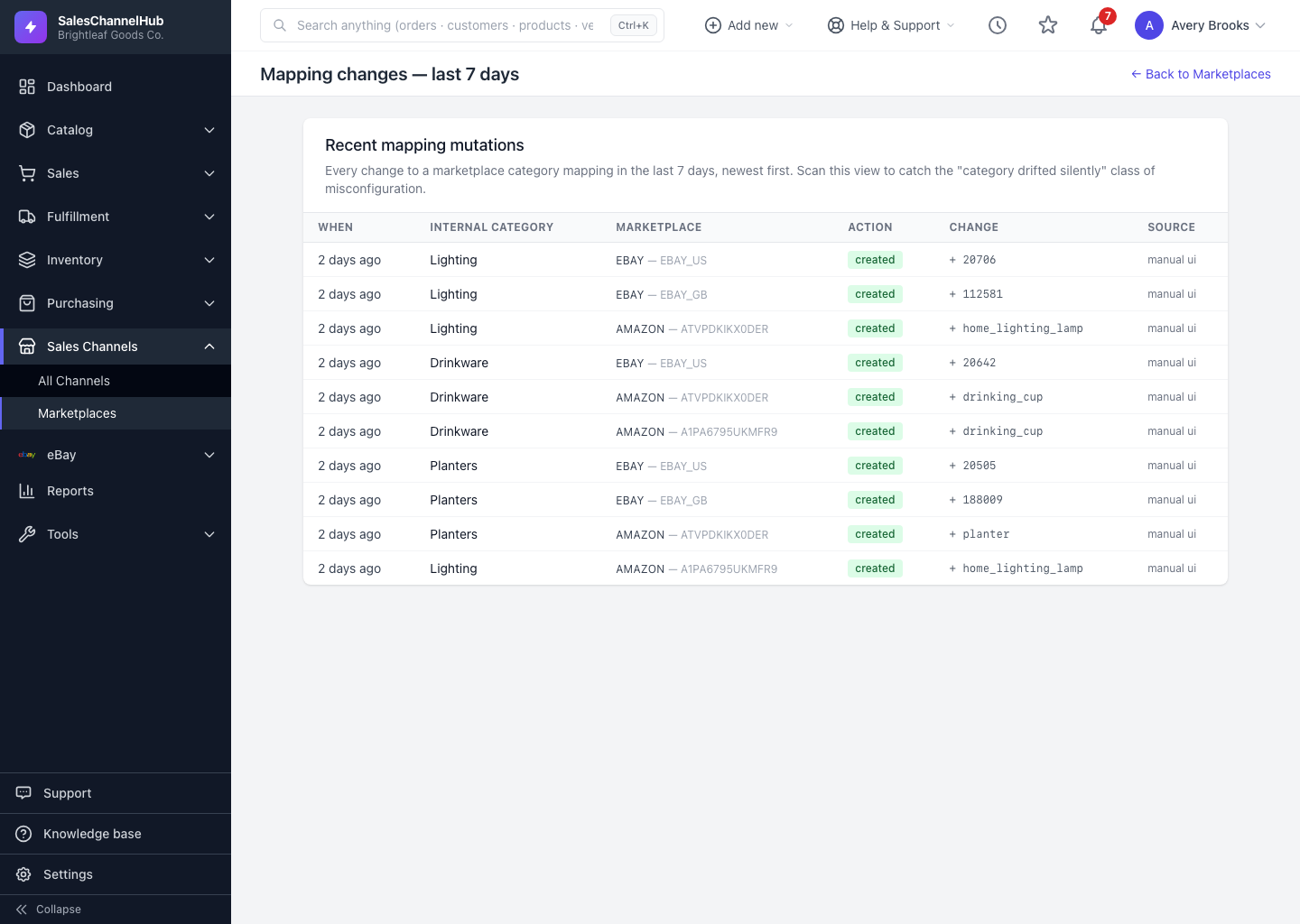
- One internal category, many marketplace categories. A category like Lighting maps to one eBay category, a different Amazon category, and a separate category again for each region.
- Mappings are defaults. Every product in a mapped category picks up that marketplace category automatically when you publish.
- Per-listing overrides win. If a single listing needs a different marketplace category, the override on that listing beats the default.
- Regions are separate. eBay US and eBay UK use different trees with different IDs, so each region needs its own mapping.
Where do I find it?
Open Marketplaces under Sales Channels in the sidebar. The first screen lists your unmapped categories; from there you map each one and review recent changes.
Tip. Start with the categories that hold your best-sellers. Those are the ones that unblock the most listings fastest.