Start a new listing from the list
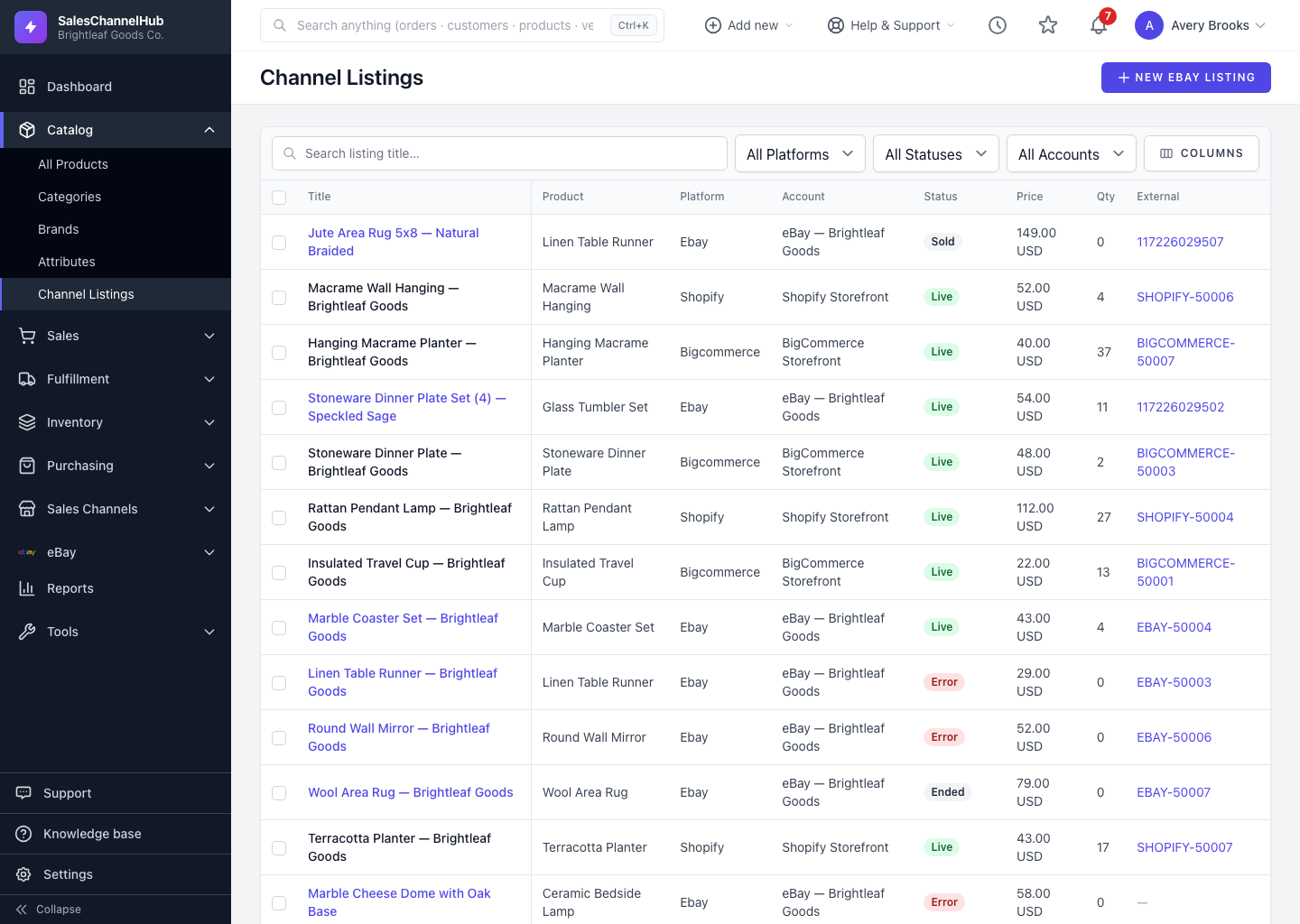
Click New eBay Listing to create an eBay listing here. For other channels, list a product from its Platforms tab on the edit page.
eBay is the one channel with a dedicated listing form you launch straight from this page. Click New eBay Listing at the top right to start one.
How do I create an eBay listing?
- Click New eBay Listing at the top right.
- Fill in the listing form: title, product details, price, quantity, images and shipping. Save it or publish it.
- Back on Channel Listings, the new listing appears with its current status, for example Draft until you publish.
How do I list on other channels?
Shopify, Amazon, WooCommerce, BigCommerce and Etsy have no standalone form here. List a product by opening it, going to the Platforms tab on its edit page (under the Sales Channels heading), and choosing the channel. You set up what publishes from the Integrations area.
Tip. Whichever route you use, the resulting listing lands back in this unified list, so Channel Listings stays your one view of everything live.
Common questions
Why is there only an eBay button?
eBay is the only channel with a dedicated create-listing form in the app. Other platforms publish through sync jobs, so you list to them from a product's Platforms tab or set them up under Integrations.
Where does a new listing show up?
Here, in the Channel Listings list, once it's saved. A listing you created on the platform directly appears after the next sync from that channel.