Understand the Settings area
Settings is where you configure your account: company info, locations, the dropdowns your team picks from, email, security and more.
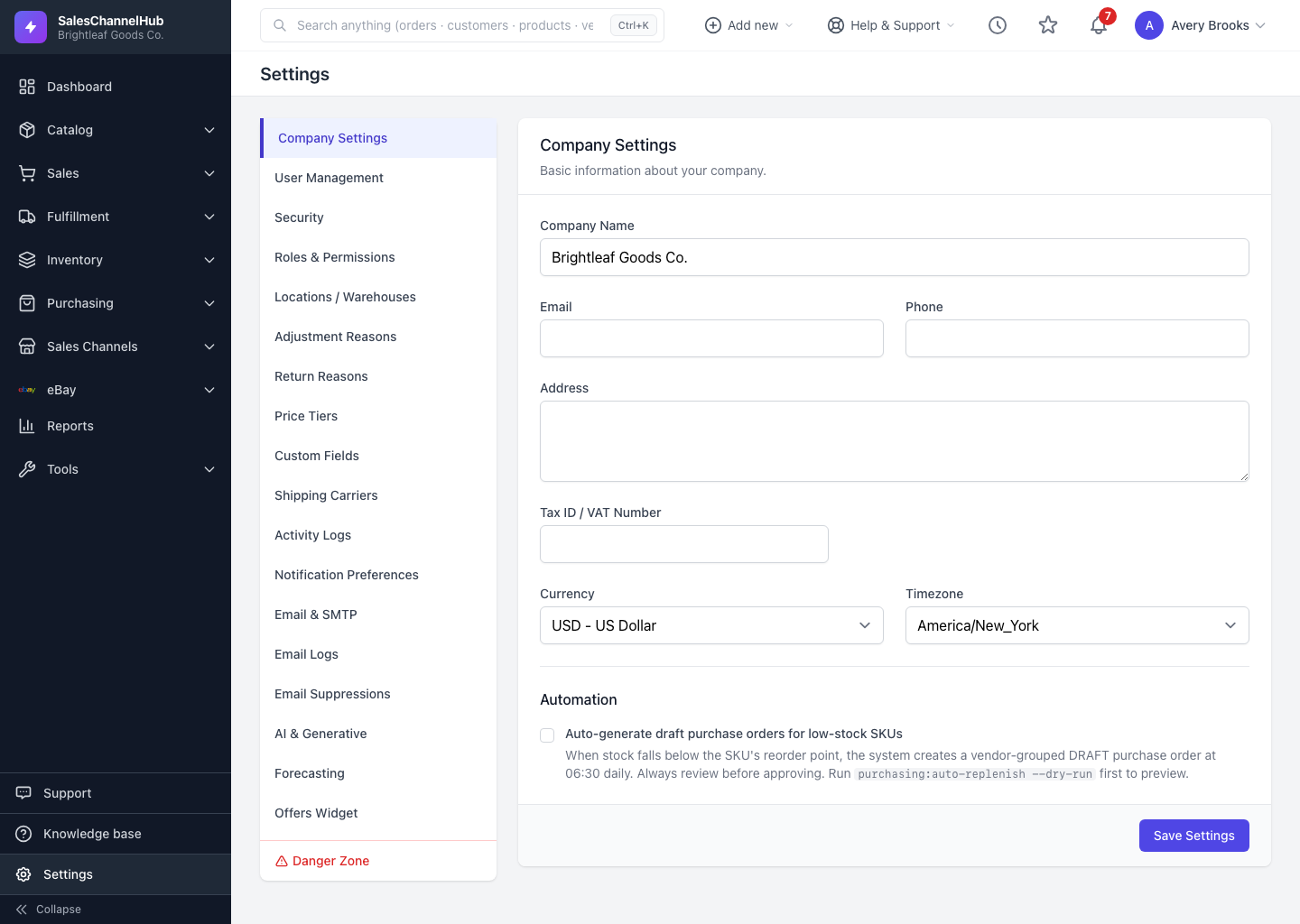
Settings is where you configure how your account behaves: your company details, warehouses, the dropdowns your team picks from, email sending, security, and a handful of power-user tools. Every page shares the same left-hand sub-menu.
What lives in Settings?
- Company Settings — name, address, tax ID, currency, timezone.
- User Management, Security, Roles & Permissions — who can sign in and what they can do.
- Locations / Warehouses — where you hold and ship stock.
- Adjustment Reasons, Return Reasons, Price Tiers, Custom Fields — the lists and fields your records use.
- Shipping Carriers, Email & SMTP, Email Logs, Email Suppressions, Notification Preferences.
- AI & Generative, Forecasting, Offers Widget, Activity Logs.
- Danger Zone — destructive resets, shown in red at the bottom.
Tip. The sub-menu only shows pages your role can reach. If one is missing, ask an admin to grant the matching permission.
Was this article helpful?