Manage return reasons
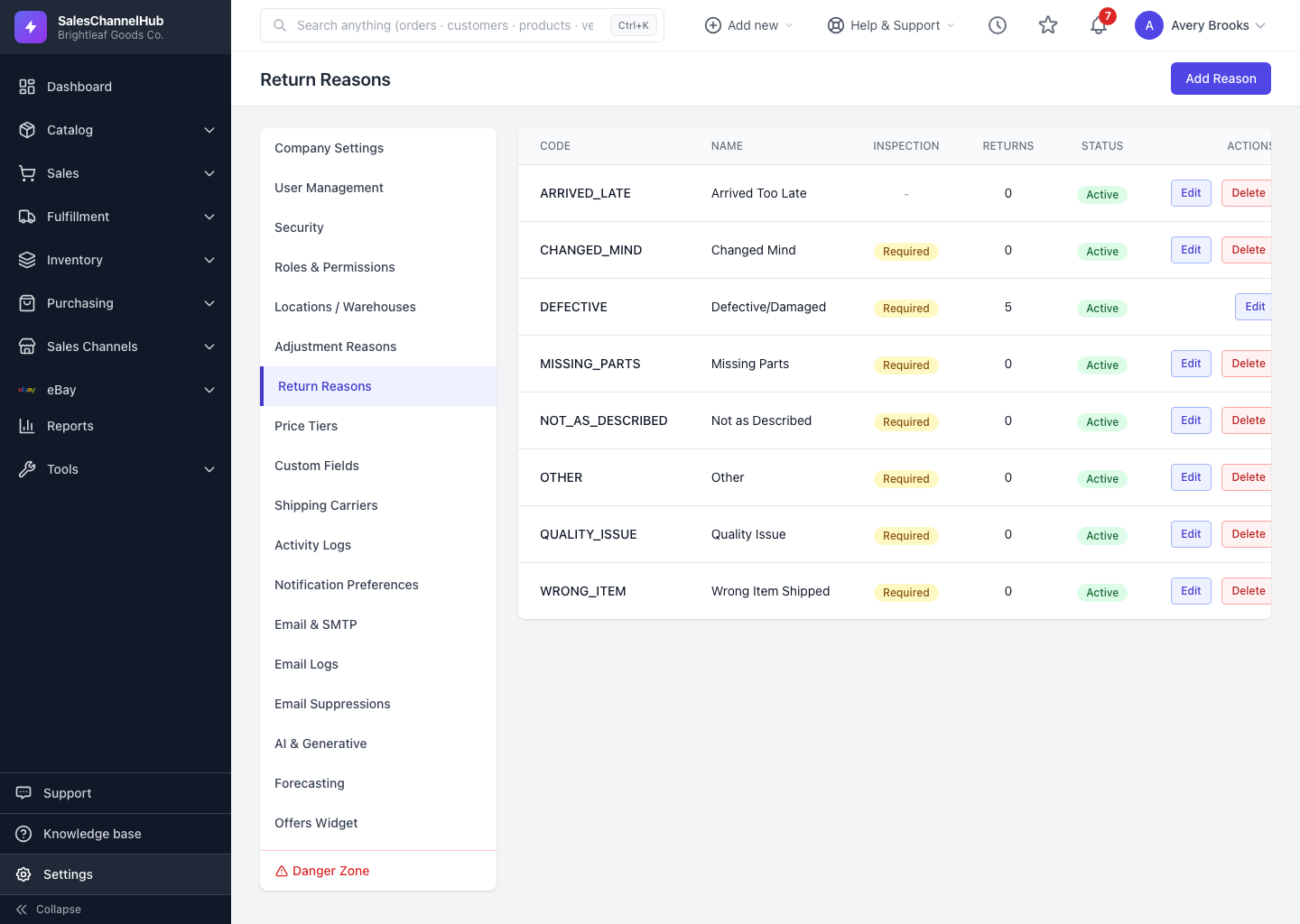
Under Settings → Return Reasons, add the reasons customers can pick and flag which ones require inspection.
Return reasons are the standard list that appears when you create an RMA. Keeping them tidy makes returns reporting consistent and tells the warehouse which returns need a close inspection.
How do I manage return reasons?
- Go to Settings → Return Reasons.
- Click Add Reason to create one, giving it a code and a name.
- Flag whether it requires inspection so those returns are checked before resolving.
- Use Edit to change a reason, or set it inactive to retire it.
Can I delete a reason that's in use?
No. A reason already used by returns can't be deleted. Set it inactive instead, so it drops out of the picker but keeps its history.
Tip. Mark reasons like “Damaged” or “Defective” as requiring inspection, so faulty stock never gets restocked by mistake.
Common questions
What does "requires inspection" do?
It flags returns with that reason for a condition check before they can be resolved, which keeps faulty stock from being restocked by accident.
How do I retire a reason I no longer use?
Edit it and set it inactive. It disappears from the create-return picker but stays on existing returns for reporting.