Message the customer about a return
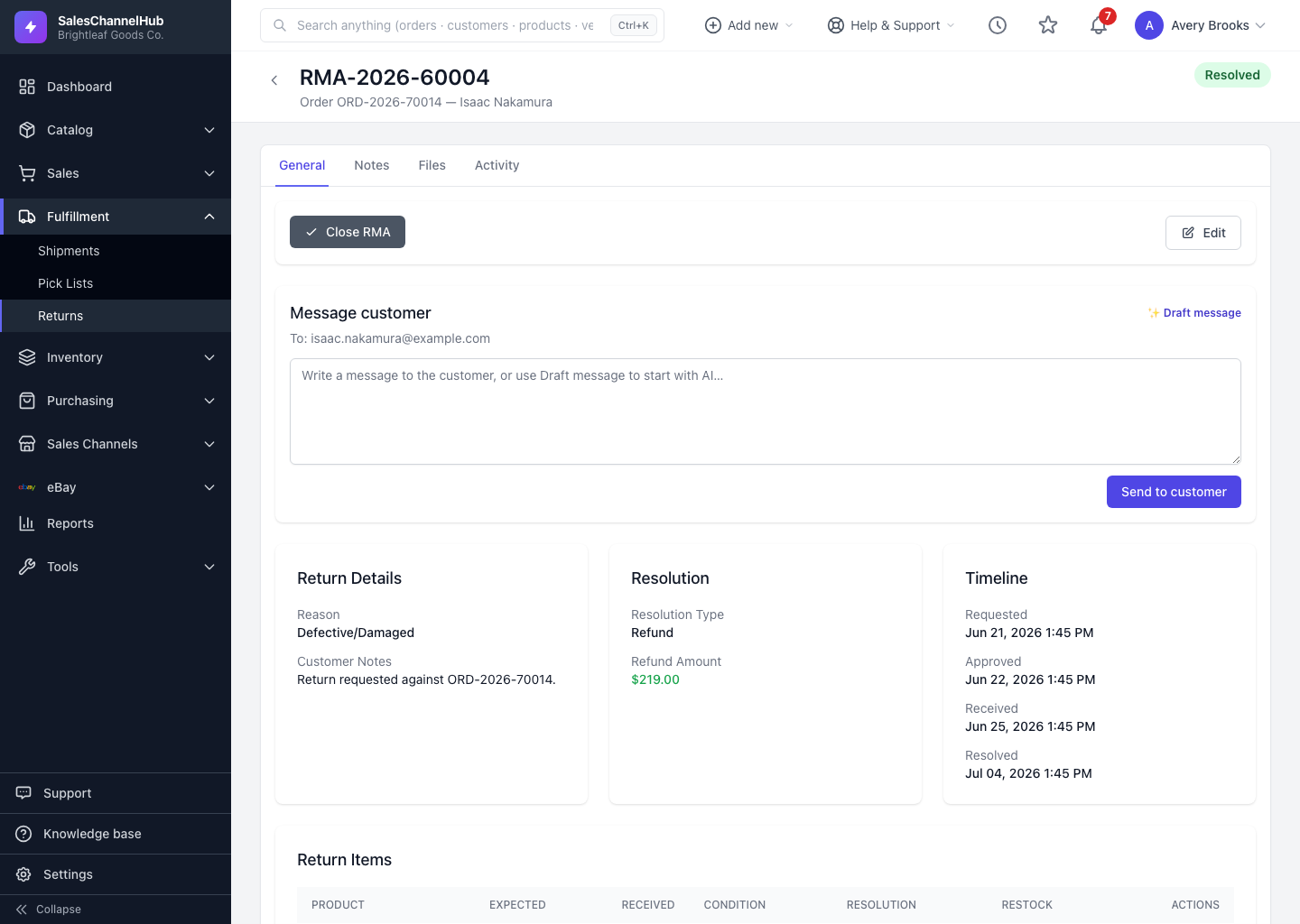
From the Message customer panel on a return, write an update and click Send to customer, optionally starting from an AI draft.
You can email the customer directly from a return to keep them posted, whether the return was approved, received or refunded. Messages are logged against the RMA for a record.
How do I message the customer?
- Open the return and find the Message customer panel, shown when the customer has an email on file.
- Type your message, or click Draft message to start from an AI-written draft you can edit.
- Review the wording, then click Send to customer.
Tip. Always read an AI draft before sending. It's a starting point, and the message goes out under your business's name with the RMA number in the subject line.
Common questions
Why don't I see the Message customer panel?
It only appears when the customer has an email on file and your role has the returns-process permission. Add an email to the customer record if it's missing.
Do I have to use the AI draft?
No. The AI draft is optional. You can type the whole message yourself, and you should always review any draft before it sends.
Was this article helpful?