Transfer orders vs quick inventory transfers
Use a quick transfer (Inventory → Transfers) for instant same-building moves; use a transfer order when stock needs an in-transit trail.
There are two ways to move stock between locations, and the right one keeps your records clean. The difference is whether the move needs an in-transit, ship-and-receive trail.
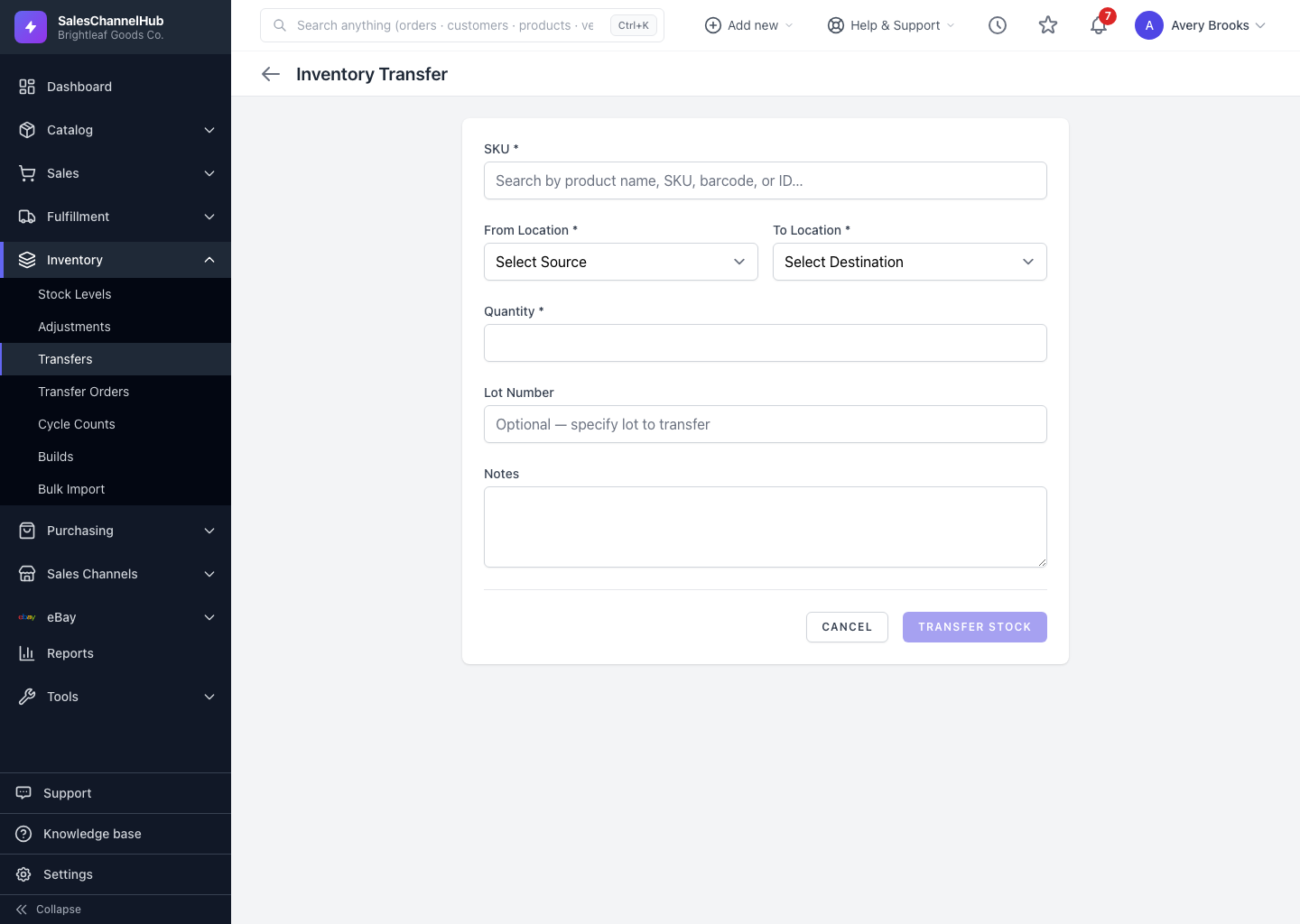
When is a quick inventory transfer enough?
- It's a single-step move that takes stock from one location and lands it at another immediately. Find it under Inventory → Transfers.
- Best for moves within the same building, such as between a back room and the pick face, where there's no real transit time.
When should I use a transfer order?
- It's a tracked workflow with separate ship and receive steps and an in-transit status.
- Best for moves between sites, or anywhere you need to know stock is in transit, receive in stages, or keep an audit trail of who shipped and received.
Tip. If the stock won't arrive the instant it leaves, use a transfer order. The in-transit visibility is worth it.
Common questions
Does a quick transfer track in-transit stock?
No. A quick transfer moves stock in one step, so it's never in-transit. For that visibility, and for staged receiving, use a transfer order.
Where do I find quick inventory transfers?
Under Inventory → Transfers. Transfer orders are a separate page at Inventory → Transfer Orders.
Was this article helpful?