Understand the activity log
The activity log is your account's audit trail: every meaningful change, recorded automatically with who did it, when and from which IP.
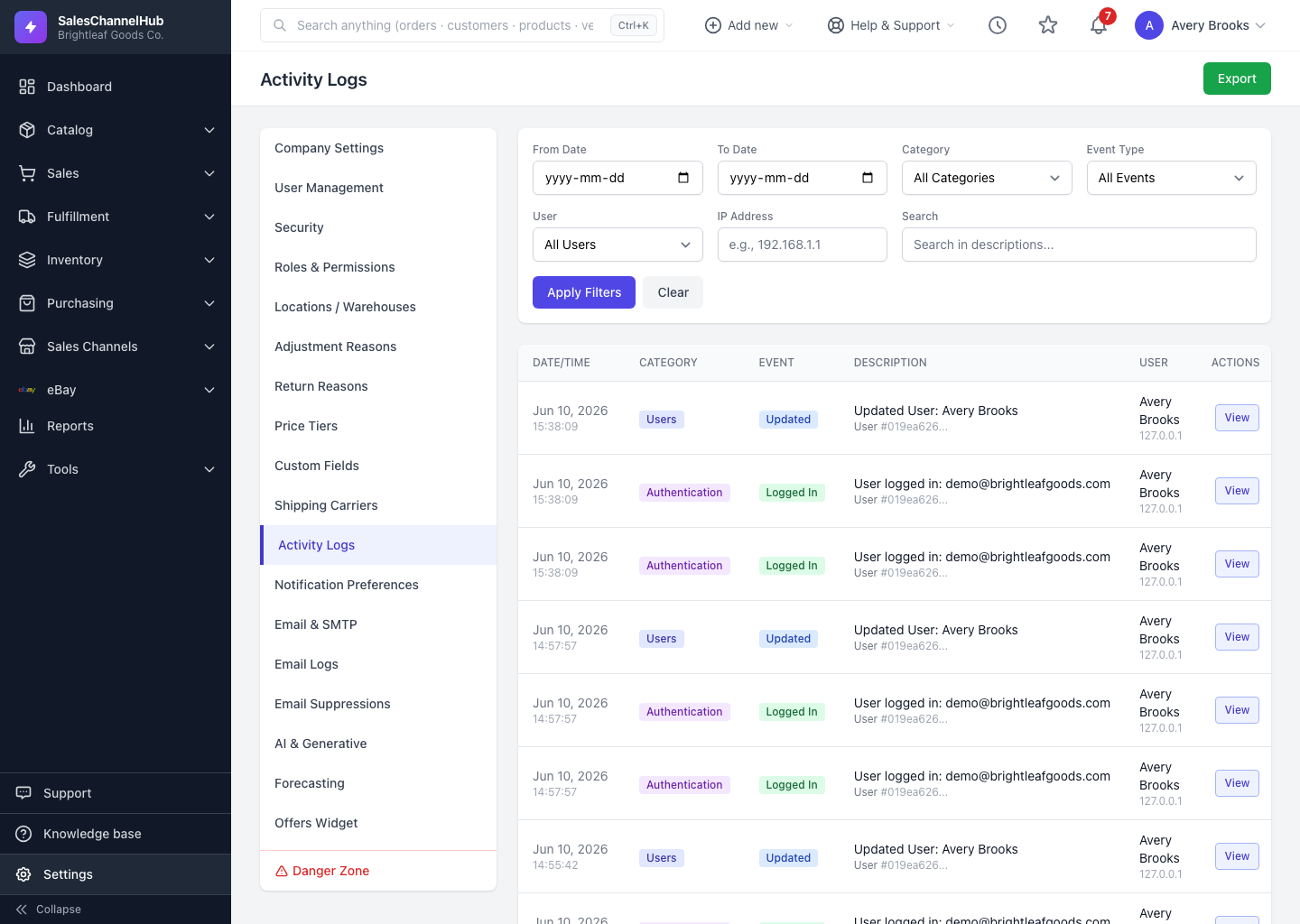
The activity log is your account's audit trail. Every meaningful change is recorded automatically, along with what happened, who did it, when, and from which IP address, so you always have an answer to "who changed this?" Open it from Settings > Activity Logs.
What gets recorded?
- Record changes across the app (products, orders, customers, vendors, inventory, purchasing, settings and more), each tagged with a Category.
- The kind of action, shown as an Event: created, updated, deleted, status changed, approved, cancelled, imported, exported.
- Sign-in events such as logins, failed logins and password changes.
- Who and where: the user who acted plus their IP address. System-driven changes appear without a person.
Who can see it?
Access is limited to users whose role grants the audit-log permission. If Activity Logs isn't in your Settings menu, your role doesn't include it.
Tip. Activity Logs are read-only and can't be edited or removed from the screen. That's what makes them trustworthy as an audit trail.
Was this article helpful?