View campaign performance
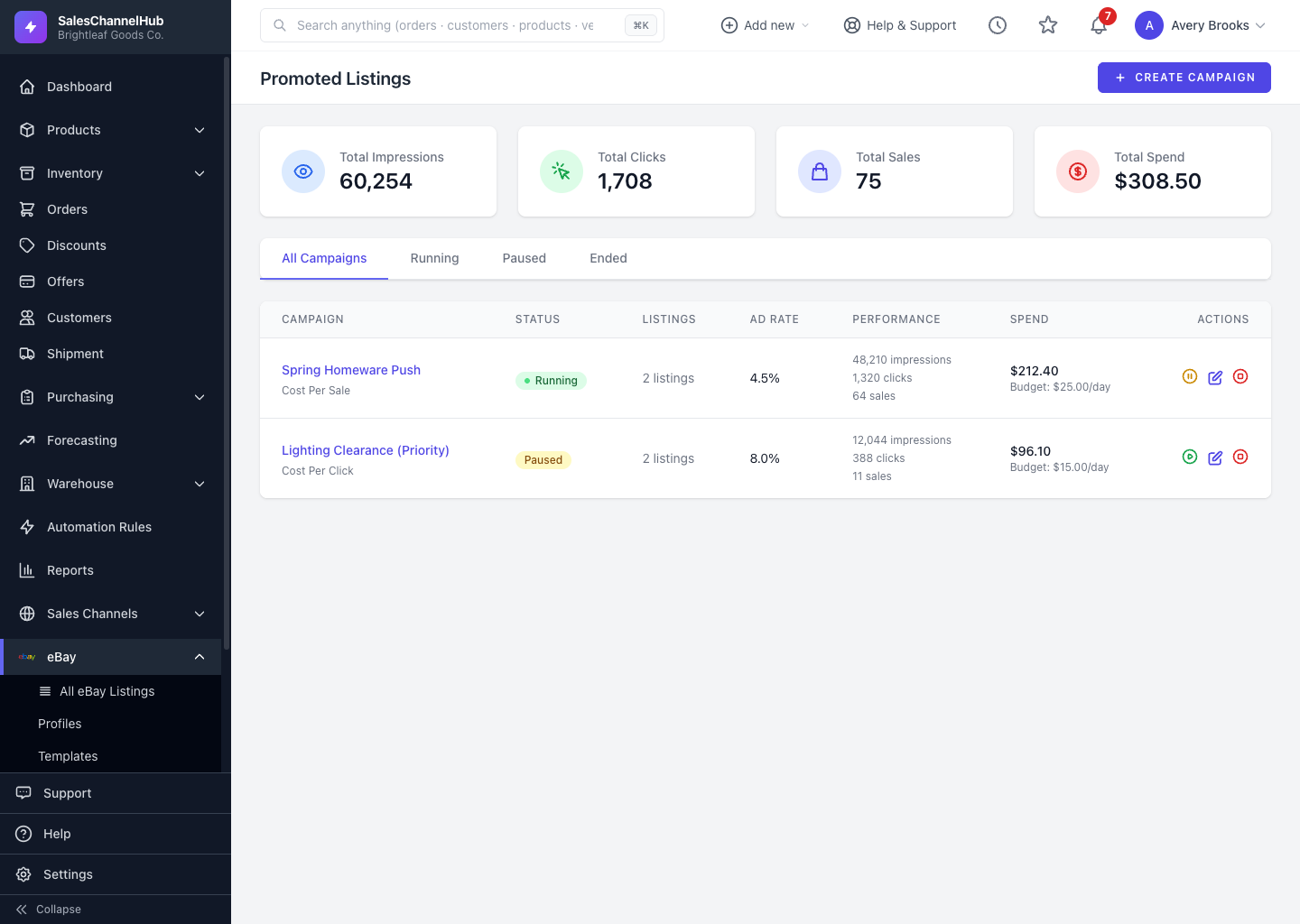
The Promoted Listings page totals impressions, clicks, sales and spend; open a campaign for its CTR, conversion rate and ROAS.
The Promoted Listings area shows how your ad spend is paying off, both across all campaigns and for each one.
Where do I see performance?
- The top of the Promoted Listings page totals Total Impressions, Total Clicks, Total Sales and Total Spend across every campaign.
- The campaign table shows each campaign's status, listing count, ad rate, performance and spend.
- Open a campaign for its Impressions, Clicks (with CTR), Sales (with conversion rate), Total Spend and ROAS.
How do I filter campaigns?
Use the All Campaigns, Running, Paused and Ended tabs to narrow the list.
Tip. Compare ROAS across campaigns to see which item groups and bid rates earn the most for each dollar spent.
Was this article helpful?