Understand components consumed in a build
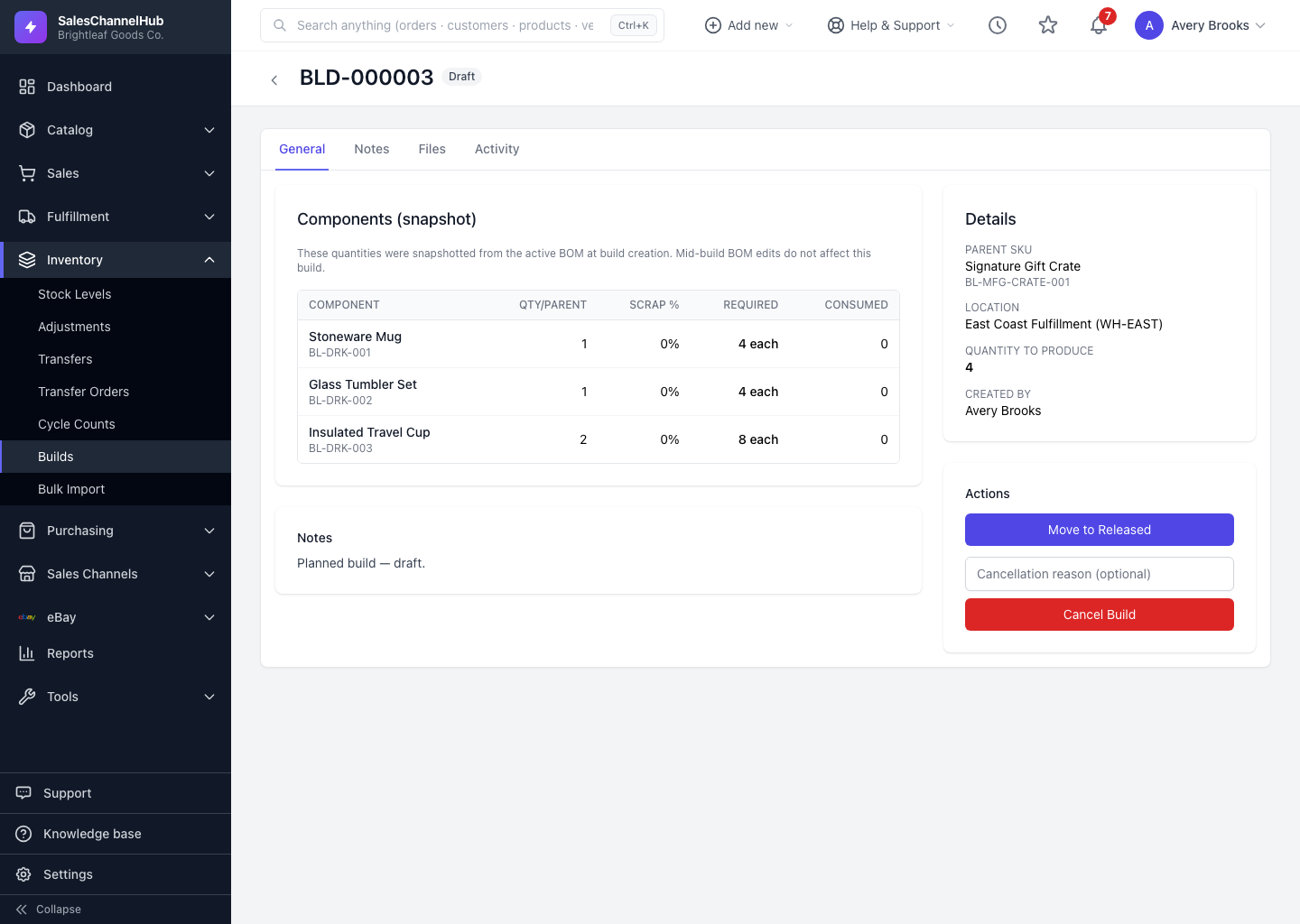
The Components panel snapshots the BOM: Qty/parent, Scrap %, Required and Consumed for each component.
The Components panel on a build shows exactly what the assembly will use. These figures are snapshotted from the bill of materials when the build is created, not pulled live.
What do the columns mean?
- Qty/parent — how many of this component each finished unit needs.
- Scrap % — the extra allowance for expected waste during assembly.
- Required — the total this build needs, including scrap, across the quantity you're producing.
- Consumed — how much has actually been used so far.
Tip. Mid-build edits to the product's bill of materials don't change a build already in flight. The snapshot keeps each build's component plan stable from start to finish.
Was this article helpful?