Manage price tiers
Create standing discount tiers like Wholesale or VIP under Settings → Price Tiers, then assign them to customers.
Price tiers give groups of customers a standing discount off list price, handy for wholesale, trade, or loyal buyers.
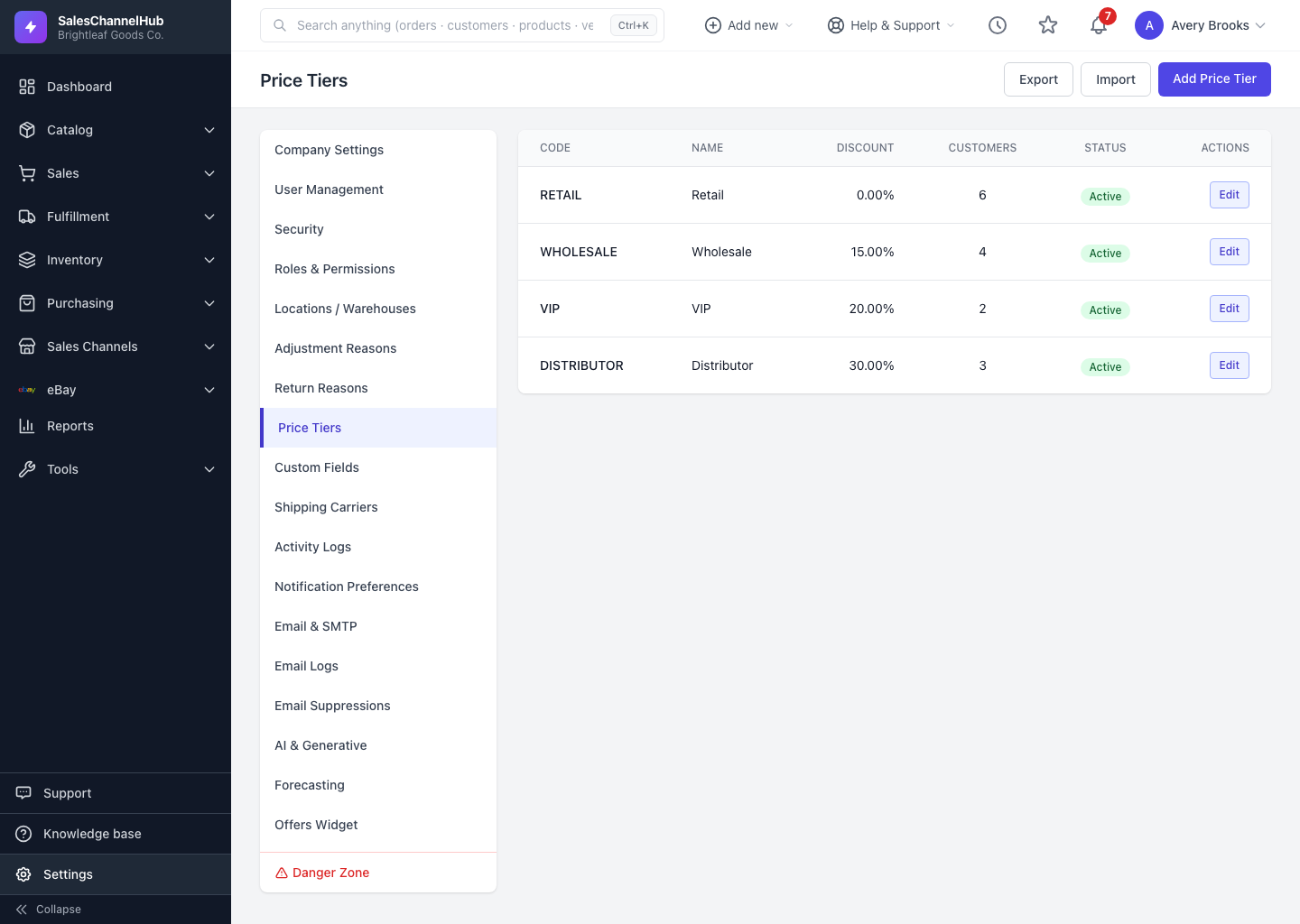
How do I create a price tier?
- Go to Settings → Price Tiers and click Add Price Tier.
- Enter a Code (such as WHOLESALE), a Name, and the Discount Percent.
- Optionally add a Description and a Sort Order, and keep Active ticked.
- Click Create Price Tier, then assign it to customers from their records.
Can I set up several tiers at once?
Yes. Use Export and Import on the Price Tiers page to create or update several tiers from a spreadsheet.
Tip. The list shows how many customers sit on each tier. A tier with customers attached can't be deleted until they're moved off it.
Common questions
Why can't I delete a price tier?
Customers are still assigned to it. The list shows the count per tier. Move those customers to another tier first, then delete the empty one.
How does a customer get a tier's discount?
Assign the tier on the customer's record. The Discount Percent then comes off list price for that customer's orders.
Was this article helpful?