Record counts on a cycle count
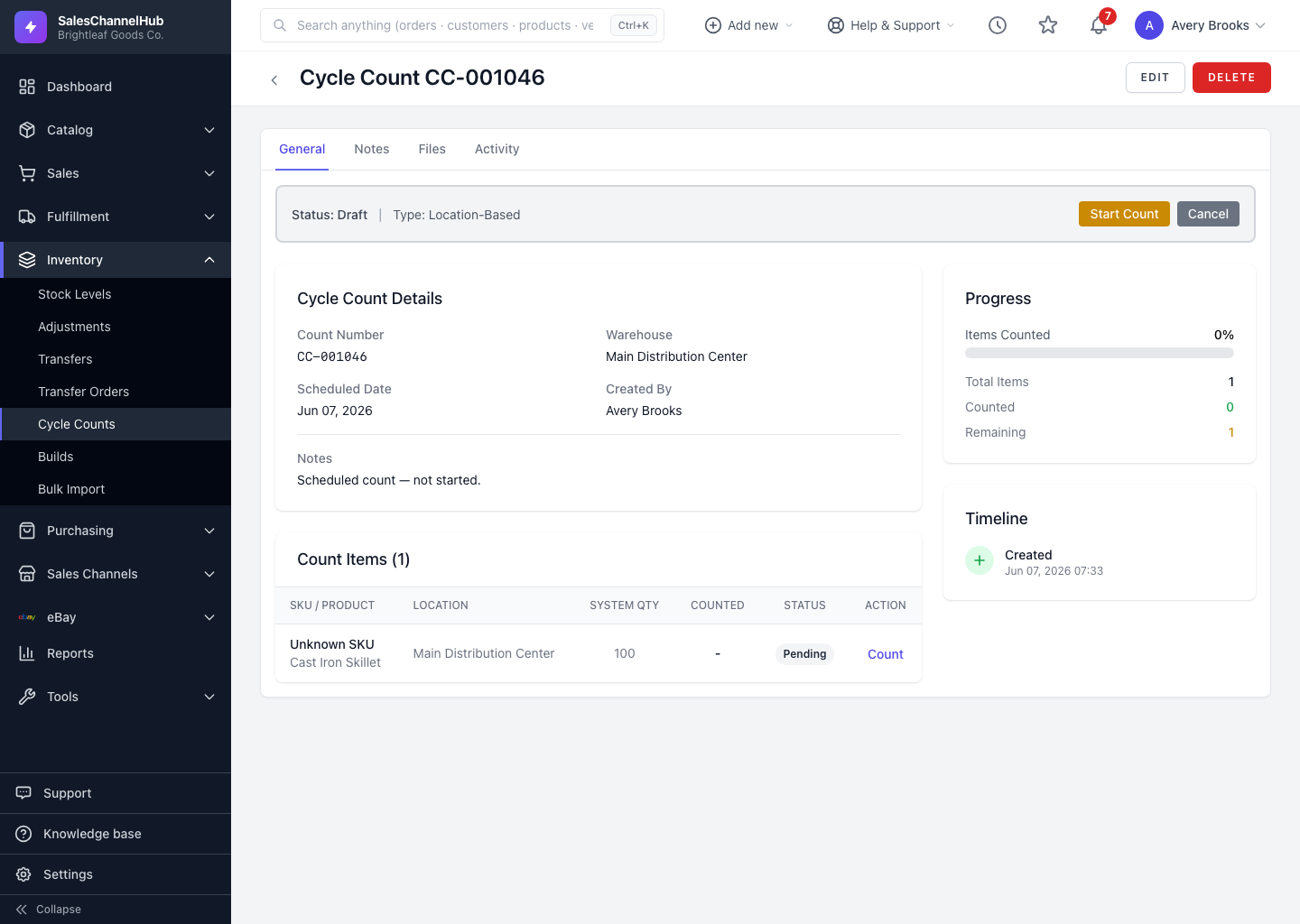
On a line, click Count and enter the physical quantity. The system stores it ready to compare against the system figure.
Each line on a count has a Count action. You enter the quantity you physically counted, and the system stores it ready to compare against the system figure once the count reaches review.
How do I record a count?
- Open a Draft or In Progress count. If it's still Draft, click Start Count.
- On a line, click Count, or Recount if you're correcting one.
- Enter the Counted Quantity. Add a Lot Number or Notes if relevant.
- Click Save. The line is marked Counted.
Tip. You can record counts while the record is still in Draft. You don't have to start it first if you only want to capture a few lines.
Common questions
Can I change a count I already entered?
Yes, while the count is still Draft or In Progress. Click Recount on the line and enter the corrected quantity.
Do I see the system quantity while counting?
On a normal count, yes, the Record Count window shows the system figure. On a blind count it's hidden until the count reaches review.
Was this article helpful?