Available vs on-hand stock
Stock is the physical units you hold; Available is on-hand minus what's committed to open orders. Always sell off Available.
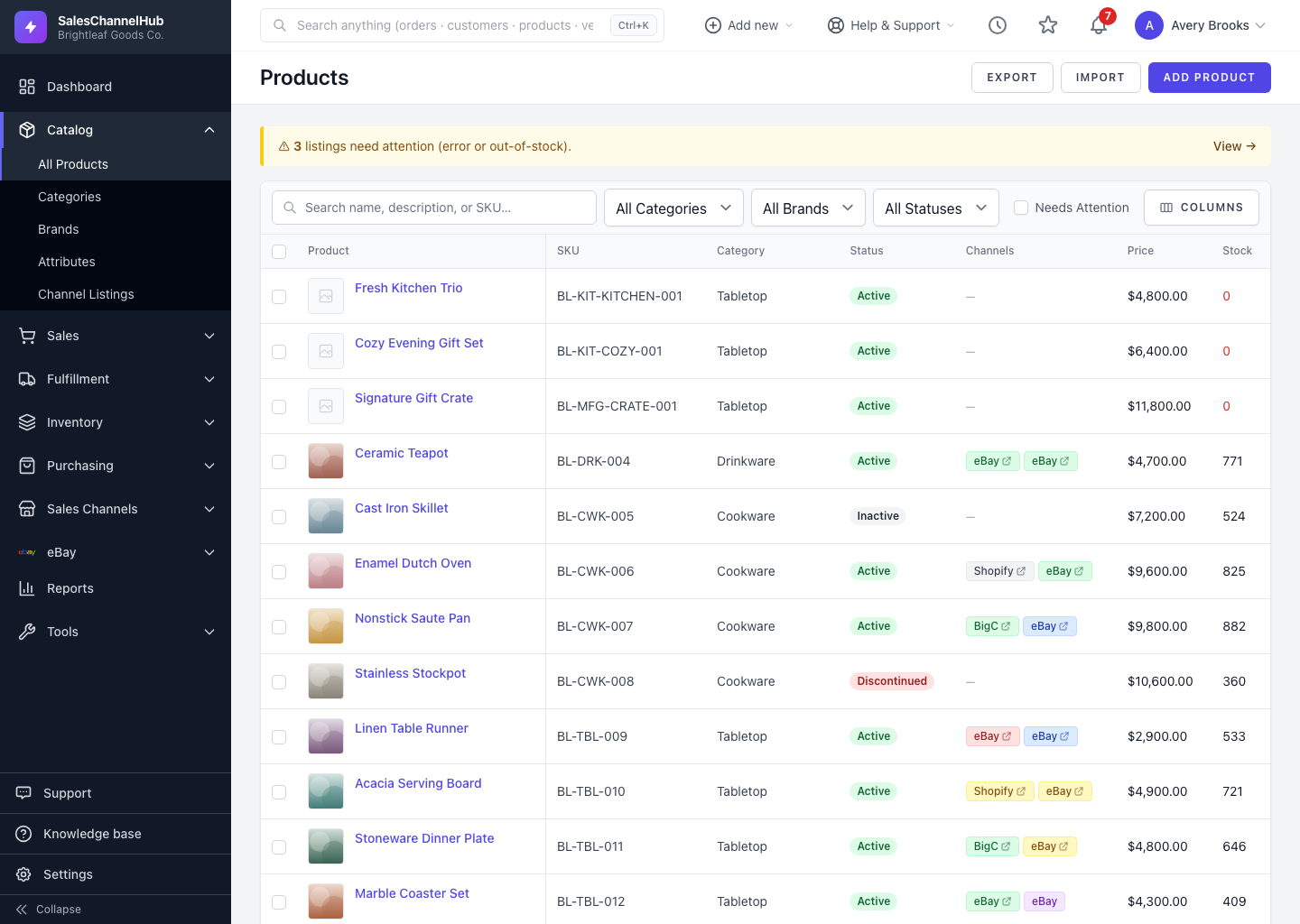
The product list shows two stock figures, and they often differ. Stock is the physical units you hold; Available is what's genuinely free to sell. Knowing which is which stops you overselling.
What does each number mean?
- Stock (on hand) is the physical units sitting in your locations right now.
- Available is on-hand minus anything already committed to open orders, so it's what you can actually promise to sell.
How do I read the columns?
- Add the Available column from the column selector if it isn't showing.
- Compare it with Stock. A lower Available means units are allocated to orders.
- Both columns turn red at zero, flagging products you can no longer fulfil.
Tip. Size your channel quantities off Available, not on-hand. That's the number that reflects what's genuinely free to sell.
Common questions
Why is Available lower than Stock?
Units are committed to open orders. Available is on-hand minus what's already allocated, so it drops as orders come in even before they ship.
Which number should I list on my sales channels?
Available. It reflects what you can genuinely promise to sell. Listing off on-hand risks overselling stock that's already spoken for.
What does a red stock number mean?
Zero. Both Stock and Available turn red when they hit zero, flagging products you can no longer fulfil.