Understand Warehouse Operations
Warehouse Operations covers the physical work of the business: pick lists, cycle counts, transfer orders, builds and returns.
Warehouse Operations covers the physical side of the business: pulling orders, counting stock, moving inventory between sites, assembling kits and handling returns. Each area is its own list with its own statuses, and they share one shape. You create a record, work it through its statuses, and the system keeps your stock accurate as you go.
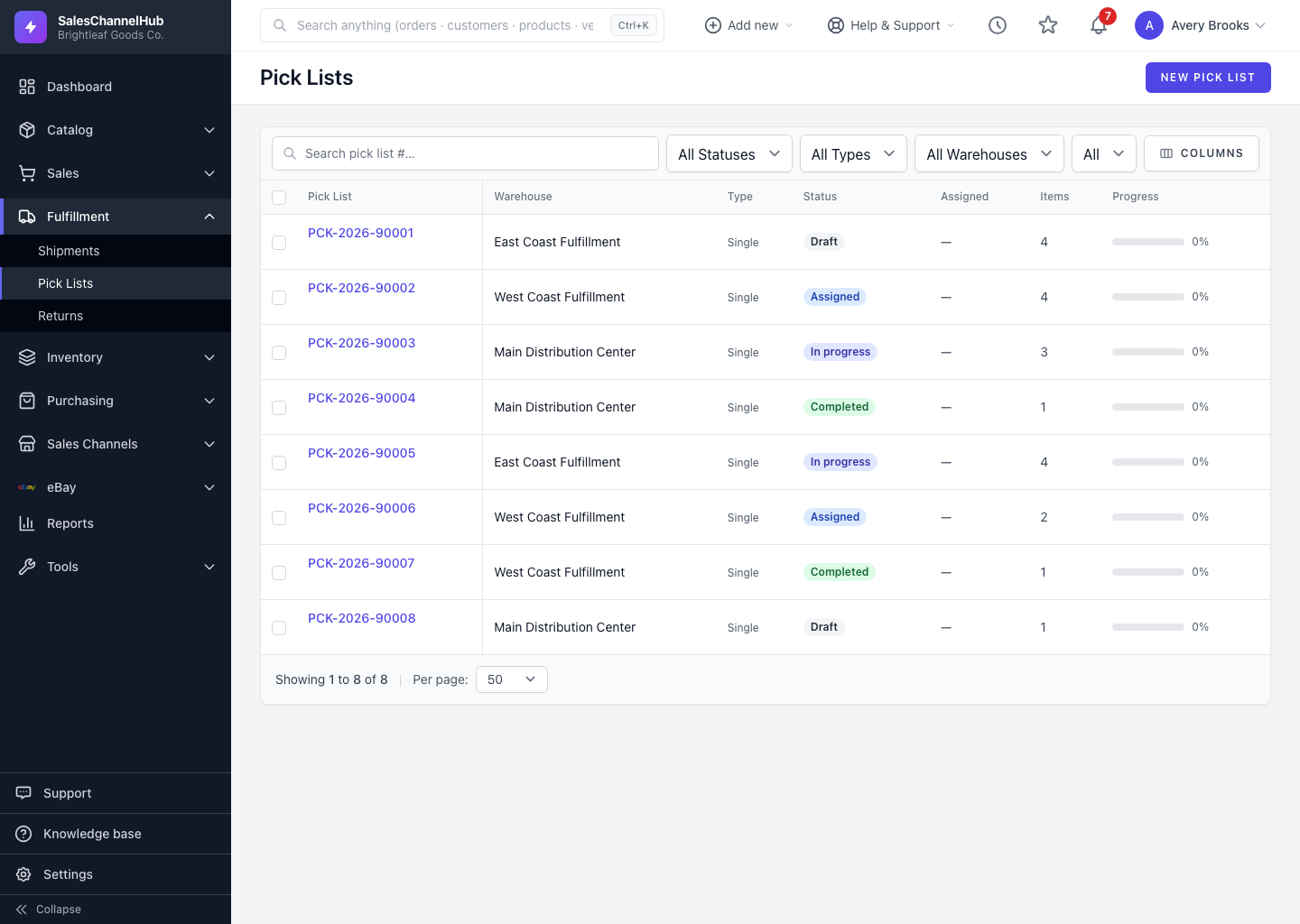
What's in the module?
- Pick lists — tell pickers what to pull for open orders. Find them under Fulfillment → Pick Lists.
- Cycle counts — count stock in place and post the variances. Under Inventory → Cycle Counts.
- Transfer orders — move inventory between locations with a ship-and-receive trail. Under Inventory → Transfer Orders.
- Builds — assemble kits from a bill of materials. Under Inventory → Builds.
- Returns (RMA) — receive, inspect and resolve customer returns. Under Fulfillment → Returns.
Tip. Most warehouse records lock once they move past their first status. Get the details right while the record is still a draft.
Was this article helpful?