Price tiers explained
A price tier is a reusable discount group with a percentage off base price. Assign customers to one and pricing applies automatically.
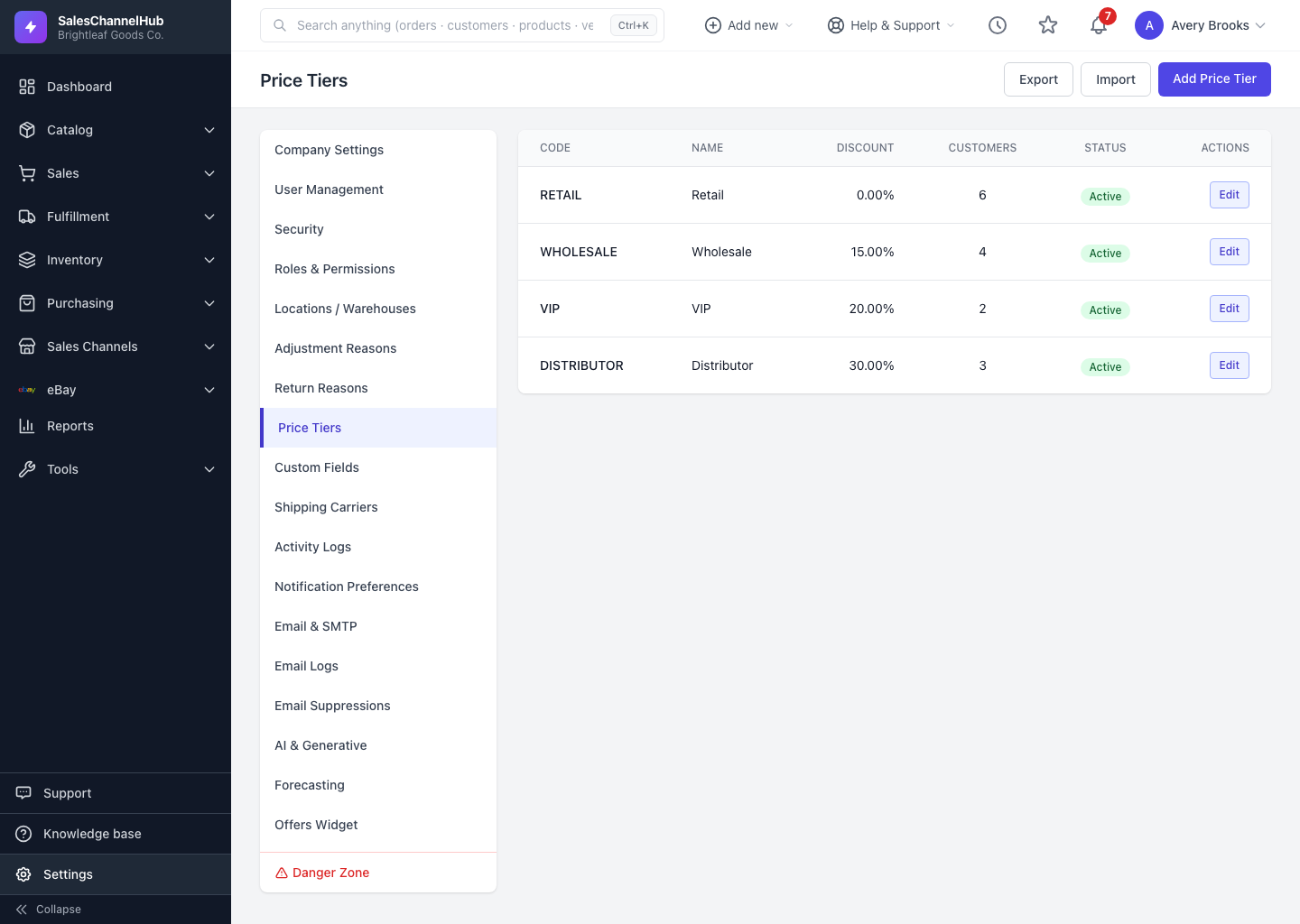
A price tier is a reusable discount group you assign to customers so the right pricing applies on its own. Each tier carries a percentage off your base prices. Set it once, attach customers, and their orders are quoted correctly.
What does a tier hold?
| Field | What it does |
|---|---|
| Code | A short uppercase identifier, for example WHOLESALE or DIST. |
| Name | The friendly label shown when assigning customers. |
| Discount Percent | The percentage off base price, from 0 to 100. |
| Sort Order | Where the tier sits in dropdowns; an optional Description sits alongside. |
| Status | Active or inactive. The list also shows how many customers are on each tier. |
Where do I manage tiers?
Go to Settings → Price Tiers. Click Add Price Tier to create one, or Edit on a row to change it.
Tip. A tier only deletes once no customers are assigned to it — the Delete option appears only when the customer count is zero. Reassign customers first, or set the tier inactive instead.
Was this article helpful?