Open a support ticket
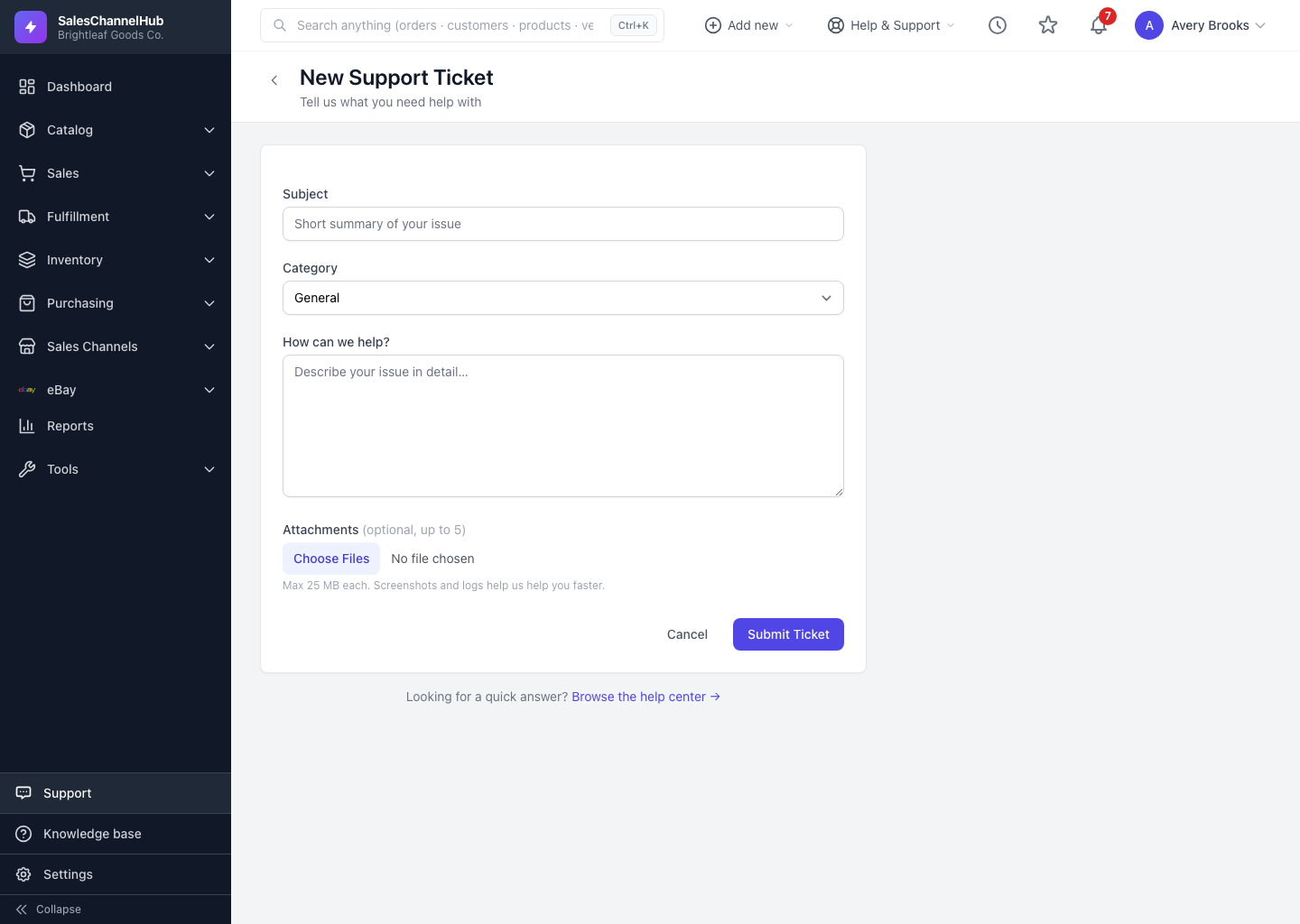
Go to Support, click New Ticket, then fill in a subject, category and message and click Submit Ticket.
To reach our team, open a ticket: go to Support, click New Ticket, fill in the form, and click Submit Ticket. Tickets are the best way to report a bug or ask about something specific to your account.
How do I open one?
- Go to Support in the sidebar and click New Ticket.
- In Subject, write a short summary of your issue. As you type, matching help articles appear in case one solves it before you submit.
- Pick a Category: General, Technical, Billing, Feedback or Other.
- Under How can we help?, describe the issue in detail: what you were doing, what you expected, and what actually happened.
- Optionally add up to five Attachments such as screenshots or logs.
- Click Submit Ticket. You land on the ticket page and get an email confirmation.
What happens after I submit?
Your ticket opens with status Open, which means it's waiting on us. We email you when we reply, and you can track it from the Support list any time.
Tip. A specific subject earns better article suggestions, and a faster fix if you still need one. "eBay listing won't publish" beats "problem".
Common questions
How long is the message?
Your message needs at least 10 characters and tops out at 5,000. Enough room to explain the issue without writing a novel.
Will I get an email when you reply?
Yes. You get a confirmation when the ticket opens, and an email each time we reply. You can answer that email directly and it lands back on the ticket.
Can I open a ticket if I don't have the permission?
Opening tickets needs the support.create permission. If New Ticket is missing, ask an owner or admin to grant it under Settings → Roles & Permissions.