How low-stock alerts work
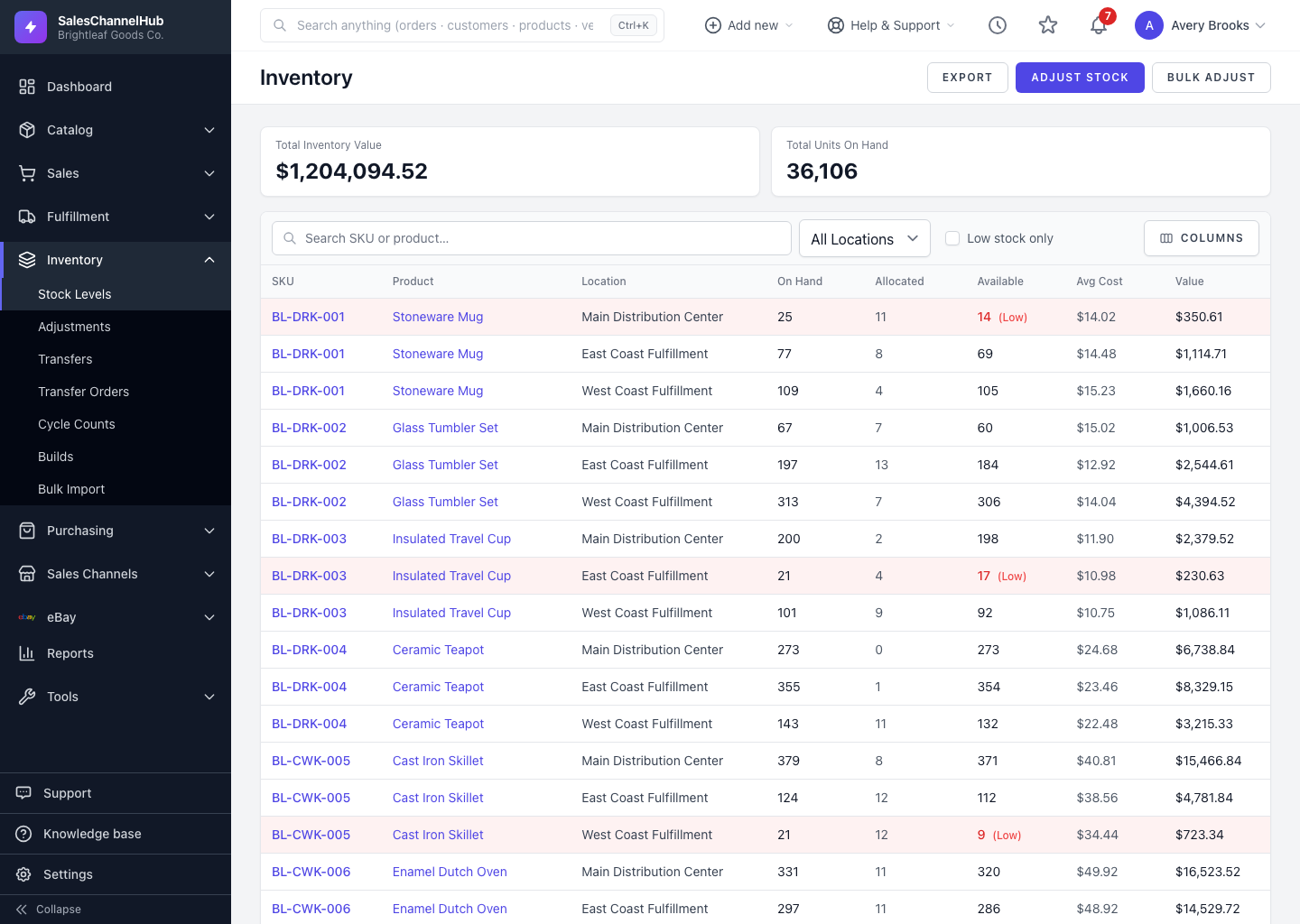
A SKU counts as low when its Available is at or below its reorder point. The list shades it red with a (Low) tag.
A SKU counts as low when its Available is at or below its reorder point. Flagging is automatic once a reorder point is set, and it uses Available rather than On Hand, so the alert reflects what you can actually sell.
When does a SKU count as low?
- It has a reorder point set.
- Its Available (On Hand minus Allocated) is at or below that point.
- SKUs with no reorder point are never flagged, even at zero.
How do I find every low item?
- Scan the list for rows shaded red. The Available figure carries a (Low) tag.
- Tick Low stock only in the filter bar to hide everything healthy.
- Combine it with the Location filter to triage one warehouse at a time.
Tip. Because the check uses Available, a SKU can read low even with plenty on hand if most of it is allocated to open orders. That's intended. It warns you before you oversell.
Common questions
Why isn't my low item flagged?
It has no reorder point yet. SKUs without one are never flagged, even at zero. Set a reorder point through Bulk Import to switch flagging on.
A SKU has plenty on hand but reads low. Why?
Most of its on-hand is allocated to open orders, so Available has dropped to or below the reorder point. The flag tracks Available on purpose.