Product types explained
Every product is simple, variant, bundle or bill of materials. The type controls how stock is tracked and which edit tabs appear.
Every product is one of four types: simple, variant, bundle or bill of materials. The type controls how stock is tracked and which tabs appear when you edit the product.
What are the four product types?
- Simple is a single sellable item with one SKU. It's the default and the right choice for most products.
- Variant is one product with several options like Color and Size, each its own SKU with its own price and stock.
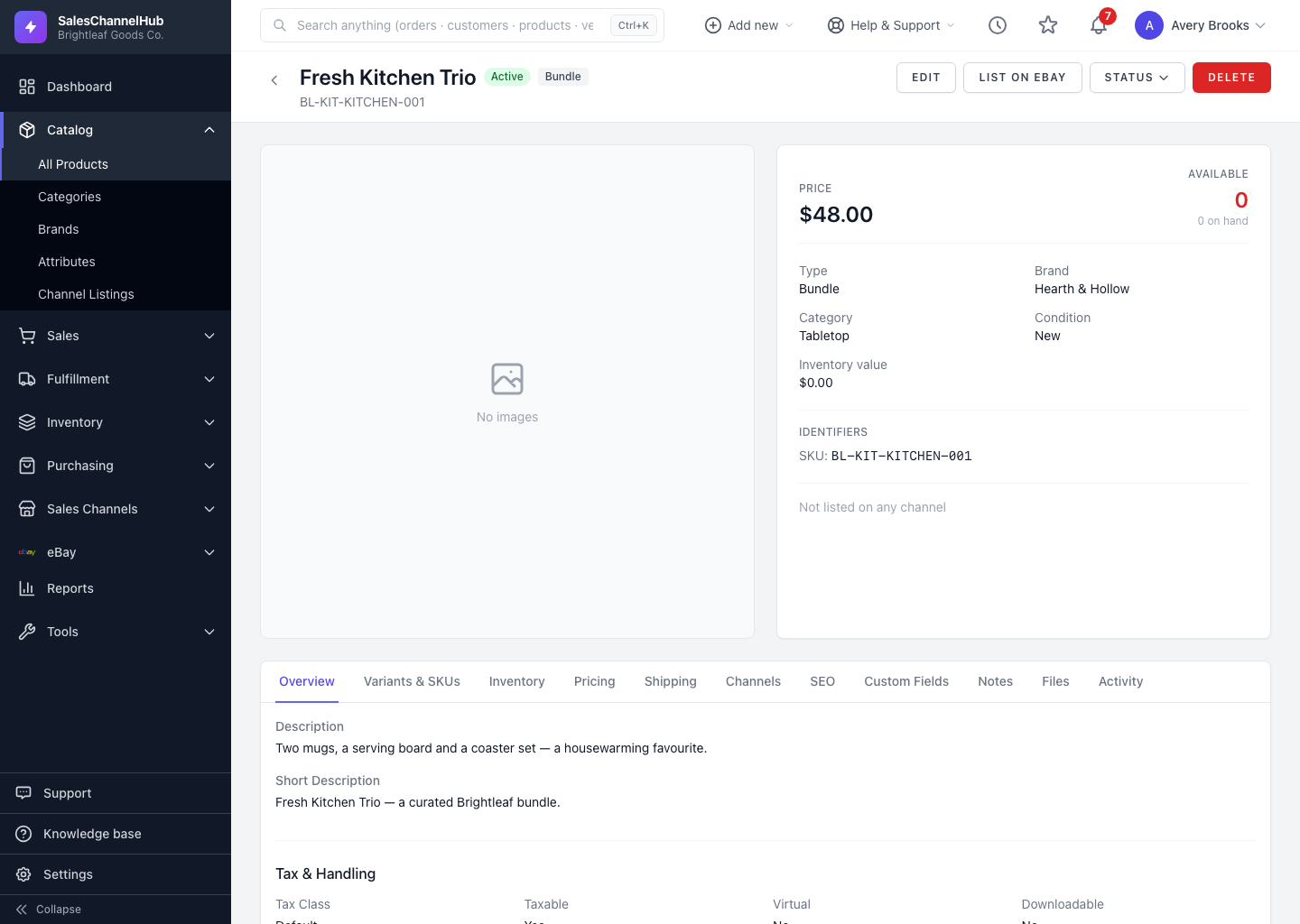
- Bundle sells as one unit but is made up of other SKUs you already stock. Its available quantity is calculated from its components.
- Bill of Materials (BOM) is an assembled item built from raw materials or sub-assemblies, produced through the Build / Work Order workflow.
How do I pick a type?
You don't pick it up front. A simple product becomes a variant, bundle or BOM automatically once you add variants, bundle components or BOM rows.
Tip. The type badge sits next to the status badge in the product header, so you can confirm at a glance what kind of product you're looking at.
Was this article helpful?