Import existing discounts from a channel
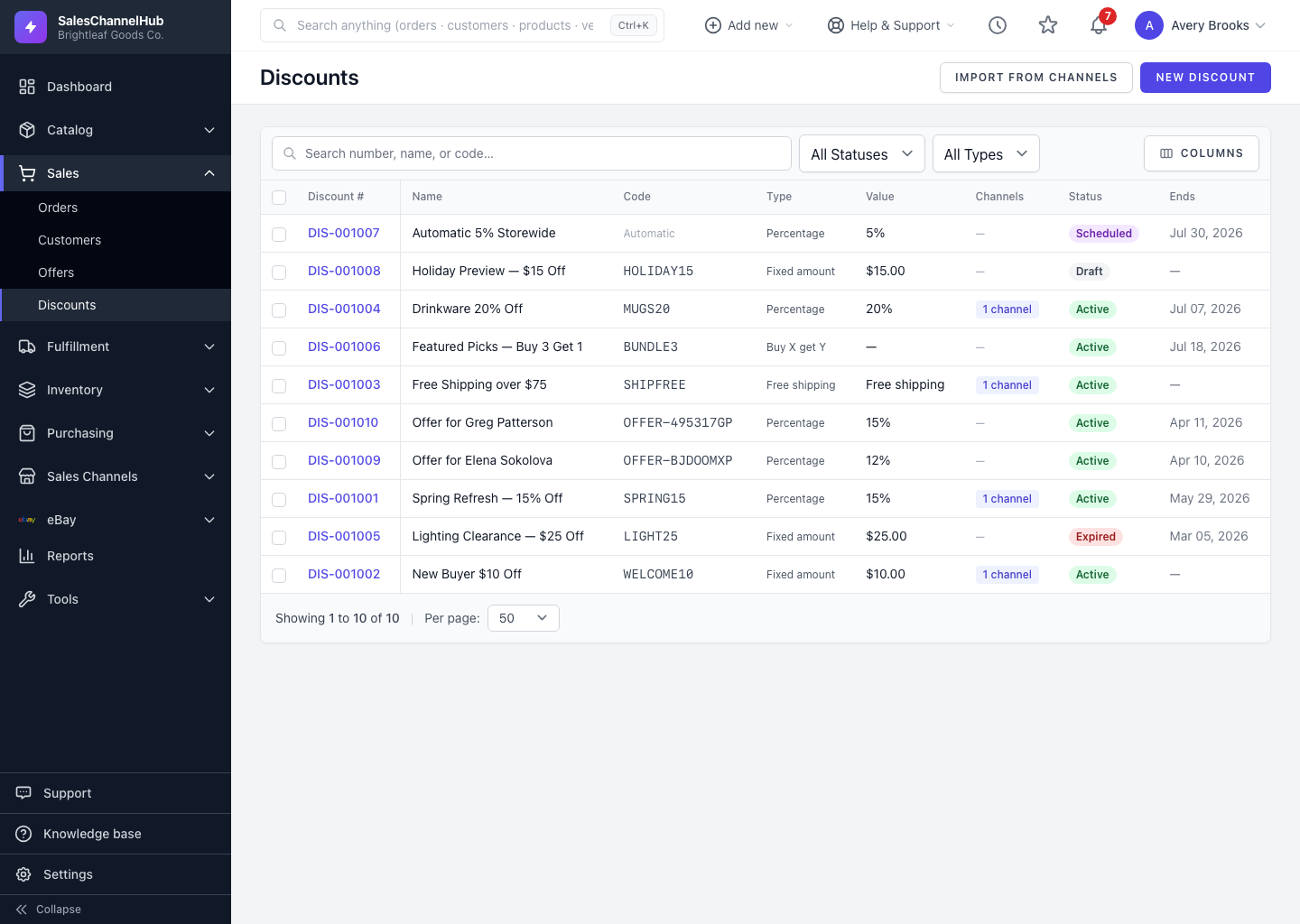
Click Import from channels on the Discounts list to pull coupons you already created in a connected store into SalesChannelHub.
If you already have coupons set up in a store's own admin, pull them into SalesChannelHub so they live alongside the ones you create here.
How do I import discounts?
- On the Discounts list, click Import from channels.
- SalesChannelHub checks each connected, import-capable channel and queues an import for those that support it.
- A message confirms how many channels are importing. If none support import, it tells you so.
Imported discounts appear in the list once the background job finishes; refresh after a moment. Their source shows the channel they came from rather than "Manual".
Tip. Import is a good first move when you connect a new store, so you don't accidentally create a duplicate of a coupon that already exists there.
Common questions
I clicked Import but nothing appeared. Why?
The import runs in the background, so give it a moment and refresh the list. If you saw "No connected channels support discount import yet", none of your connected stores offer import.
How do I tell imported discounts from ones I made here?
By their source. Imported discounts show the store they came from; ones you build here show "Manual". The source also appears as a badge on the detail page header.