Review event history
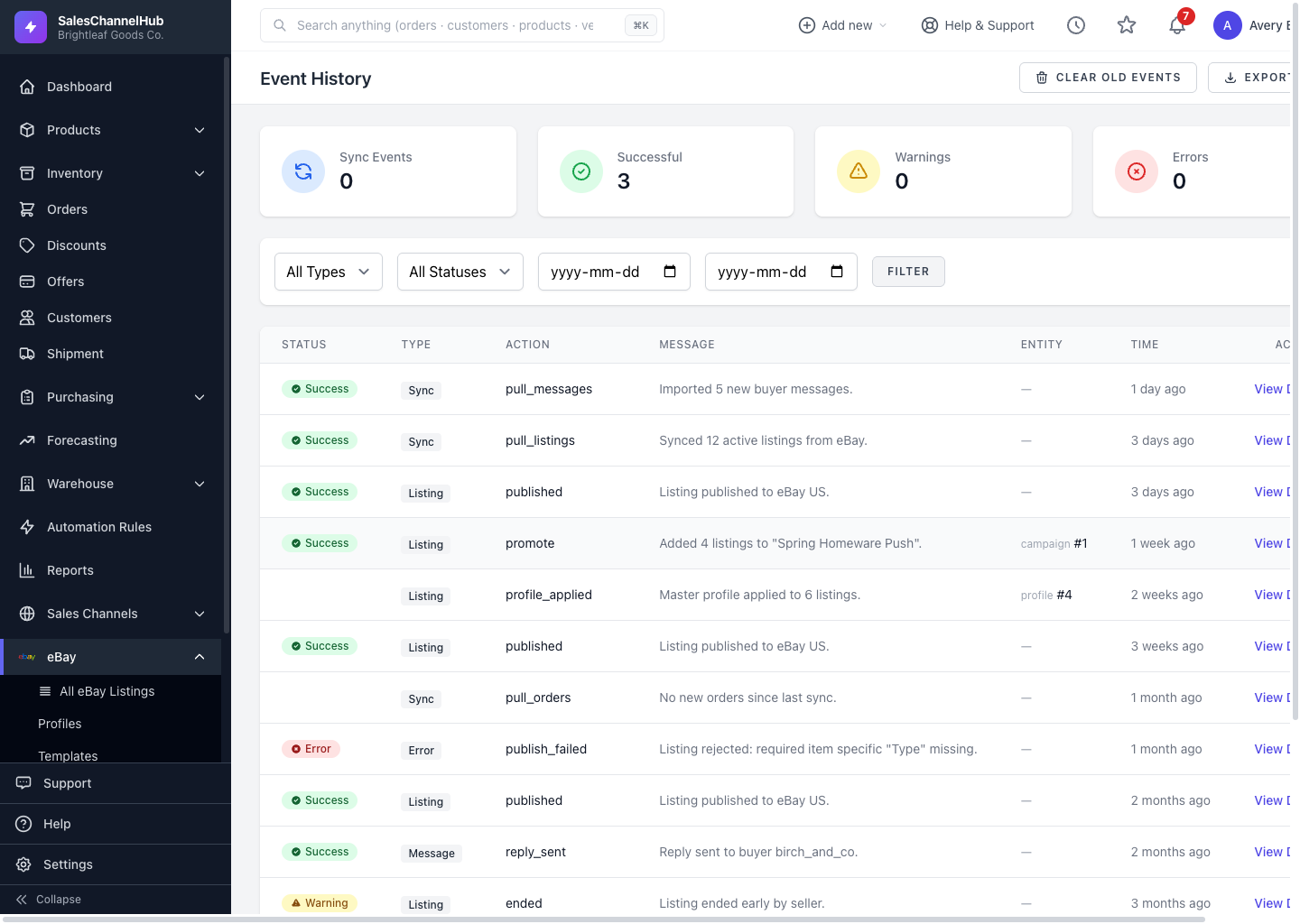
Event History logs every eBay sync, listing change, order pull and error. Filter to Error to see exactly what eBay rejected.
Event History is the audit trail for everything between SalesChannelHub and eBay: syncs, listing actions, orders, messages and errors. It's the first place to look when something doesn't behave as expected.
What can I do in Event History?
- Read the Sync Events, Successful, Warnings and Errors counts for the last 7 days at the top.
- Filter by type (Sync, Listing, Order, Message, API Call, Error), status and date range.
- Open any event with View Details to read its full record.
- Use Export Logs to download events, or Clear Old Events to remove entries older than 30 days.
Tip. When a listing won't publish or an order seems missing, filter to Error here. The detail view usually explains exactly what eBay sent back.
Was this article helpful?