Browse and search vendors
Open Purchasing → Vendors and use the search box, the Status filter, sortable columns and the column picker to find a supplier.
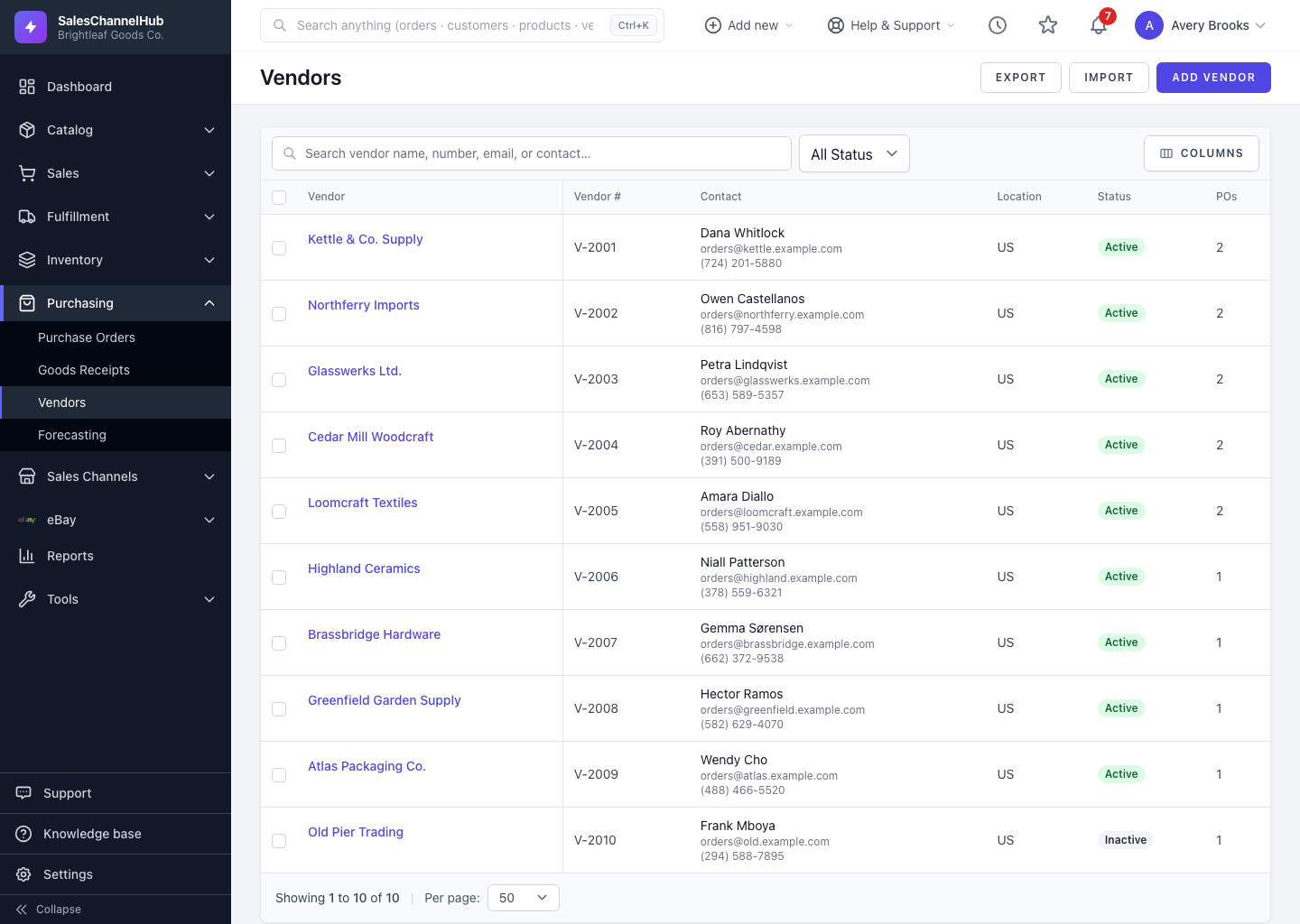
To find a supplier, open Purchasing → Vendors and use the search box and Status filter. The list shows each vendor's name, number, contact, location, status and PO count.
How do I find a vendor?
- Open Purchasing → Vendors.
- Type into the search box to match on vendor name, number, email or contact.
- Use the Status filter to narrow to Active or Inactive.
- Click a sortable column header, such as Vendor or Vendor #, to reorder the list.
- Click a vendor name to open its detail page.
Can I change which columns show?
Yes. Use the Columns selector on the filter bar to show or hide columns like Contact, Location and POs, and the per-page control to change how many rows load.
Tip. The POs column shows how many purchase orders each vendor has, a quick way to spot which suppliers you actually buy from.
Was this article helpful?