Set what pushes and pulls for a connection
On the Settings page, tick push, pull, create and update per entity, plus automatic sync, to control exactly what each channel syncs.
Each connection has its own sync settings, so you can run two channels very differently. Open them from Settings on the connection's row, then set the toggles in each entity section.
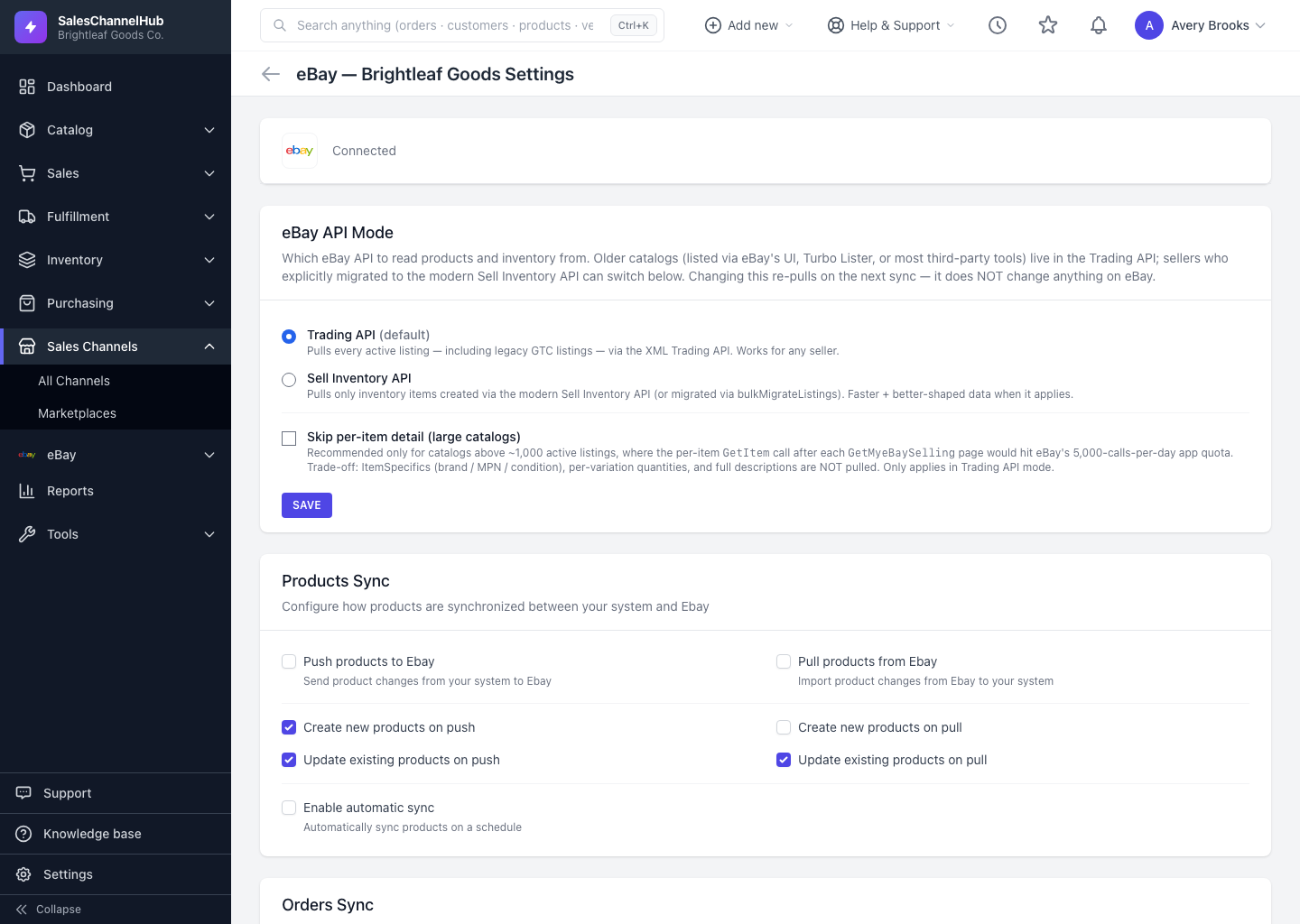
What can I set per entity?
- Push — send changes from here to the channel.
- Pull — bring changes from the channel into here.
- Create on push / pull — allow brand-new records in that direction (leave off to only update existing matches).
- Update on push / pull — allow existing records to be changed.
- Enable automatic sync — let this entity sync on a schedule rather than only when you click a button. Inventory shows this as Enable real-time inventory sync, pushing stock changes as they happen.
How do I save my choices?
- Tick the boxes you want across the Products Sync, Orders Sync, Customers Sync and Inventory Sync sections.
- Click Save Settings.
Tip. A safe marketplace default: pull orders, push inventory, and leave product create-on-pull off until you've confirmed how items match by SKU.
Common questions
What's the difference between push and pull?
Push sends changes from SalesChannelHub out to the channel. Pull brings changes from the channel into SalesChannelHub. You can enable one direction, both, or neither per entity.
What does "create on pull" do?
It allows a pull to make brand-new records here, not just update ones it already matches. Leave it off if you only want existing records updated, which avoids importing items you don't want.