Welcome to SalesChannelHub
SalesChannelHub runs your whole multi-channel selling business from one place. Here's how the app is laid out.
SalesChannelHub runs your whole multi-channel selling business from one place: products, stock, orders, purchasing, warehouse work and your sales-channel connections, without jumping between spreadsheets and marketplace dashboards.
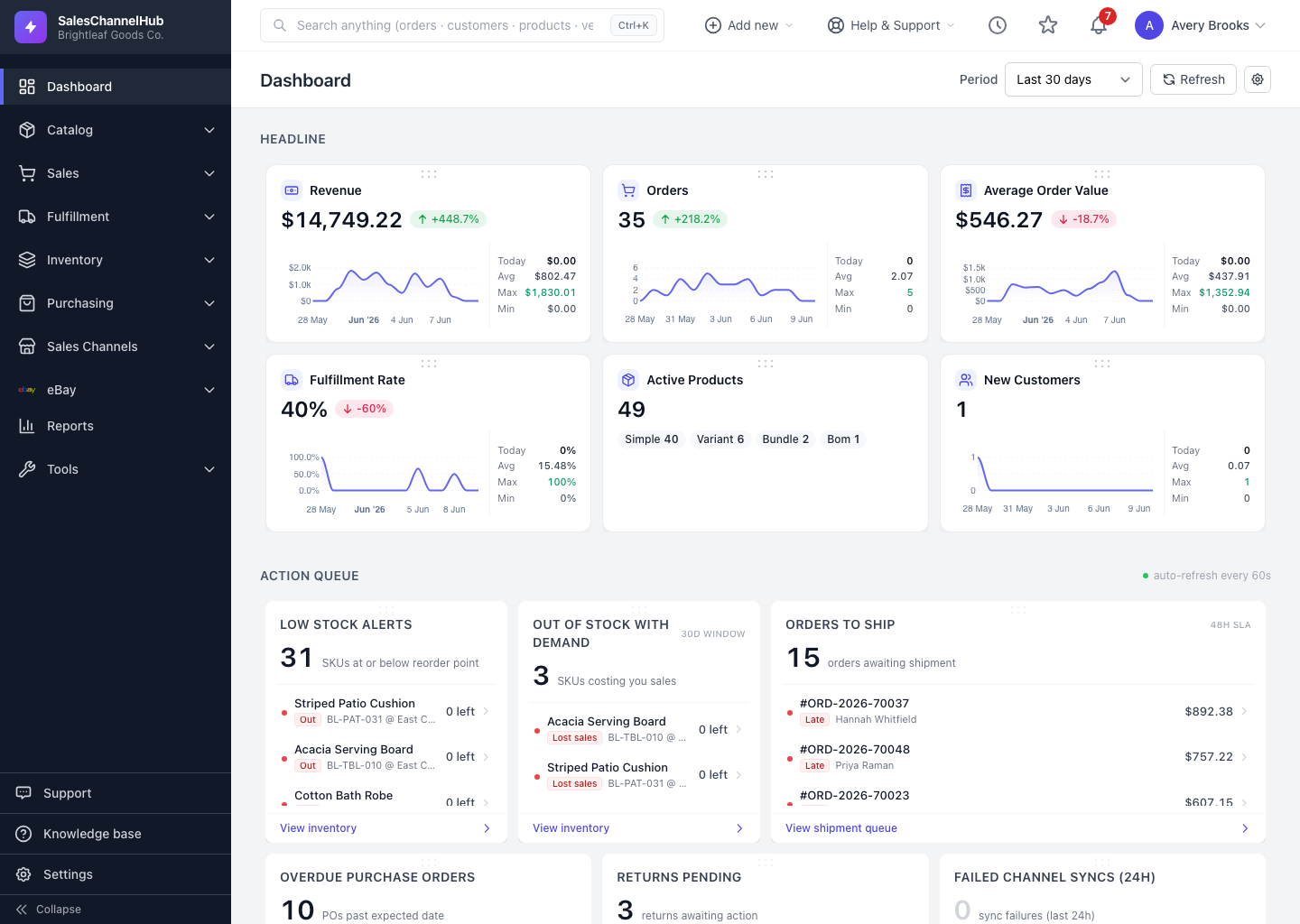
How is the app laid out?
- Left sidebar — your main navigation, from Dashboard down to Settings.
- Top bar — global search, the Add new quick-create menu, Help & Support, recently visited pages, bookmarks, the notification bell and your account menu.
- Dashboard — the landing page: headline numbers, an action queue of work to do, charts and operational lists.
Tip. Every button and page named in these guides exists exactly where it says. If you can't find something, check that your role has access to it.
Was this article helpful?