eBay settings and sync controls
In eBay → Settings, set the auto-sync interval, listing defaults and notifications, and sync your eBay business policies.
Settings is where you tune how SalesChannelHub works with eBay: how often it syncs, what defaults new listings use, and which notifications you get.
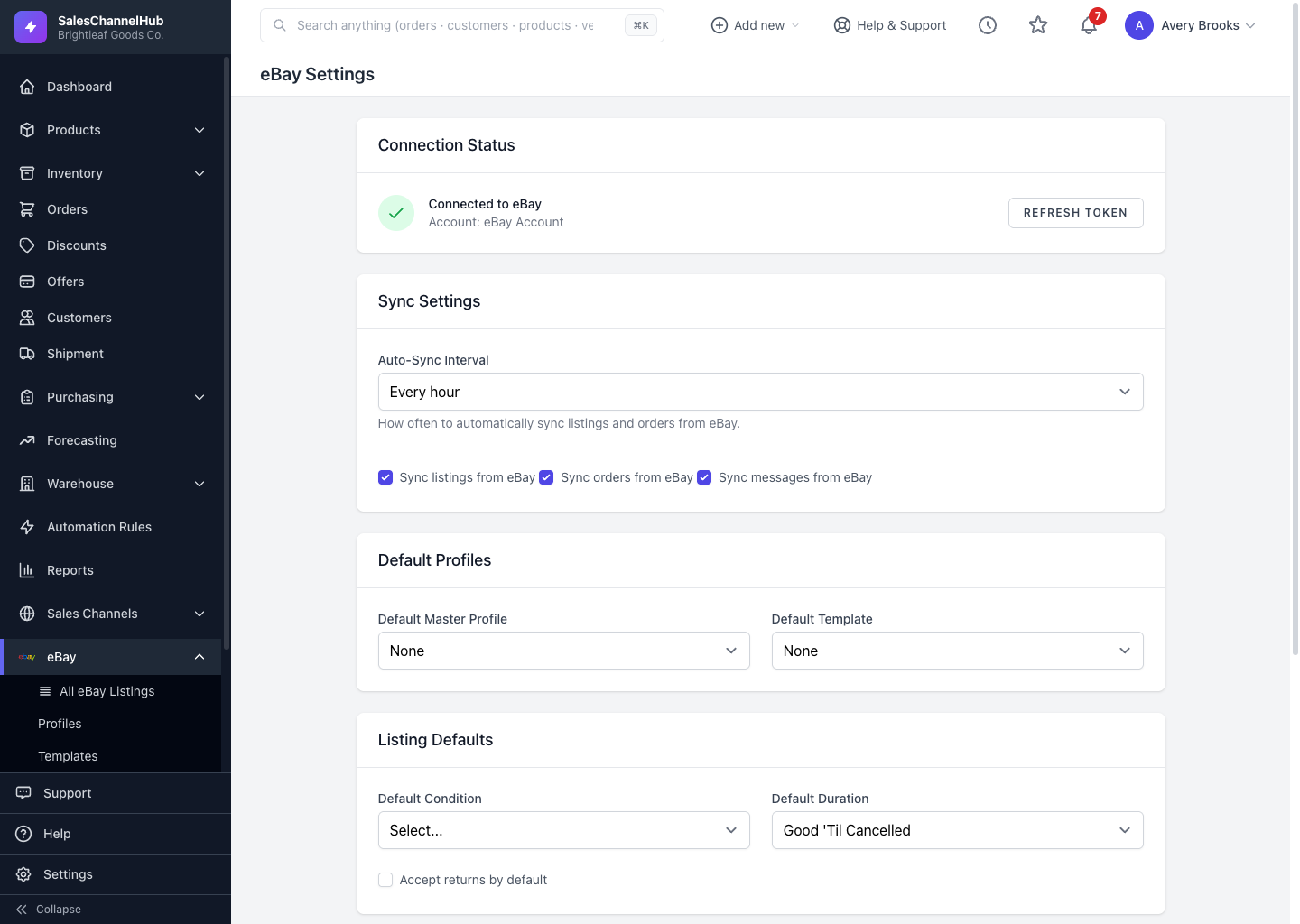
What can I set here?
- Sync Settings — the auto-sync interval and toggles to sync listings, orders and messages.
- Default Profiles — a default master profile and description template for new listings.
- Listing Defaults — default condition, duration (including Good 'Til Cancelled) and whether returns are accepted.
- Notifications — alerts for new messages, new orders, sync errors and ended listings.
How do I sync my business policies?
- In the eBay Business Policies panel, click Sync from eBay to pull your fulfillment, payment and return policies.
- Click Save Settings when you're done.
Tip. Syncing your business policies lets you pick them by name when listing, instead of re-entering shipping and return rules each time.
Common questions
How often does eBay sync?
On the Auto-Sync Interval you choose under Sync Settings: every 15 or 30 minutes, hourly, every 6 hours, once daily, or disabled. You can also sync messages on demand from the inbox.
Why are no business policies showing?
They haven't been synced yet. Click Sync from eBay in the eBay Business Policies panel to pull your fulfillment, payment and return policies from your eBay account.
Can I stop eBay orders or messages from importing?
Yes. Untick Sync orders from eBay or Sync messages from eBay under Sync Settings, then click Save Settings.