Use shipment tags
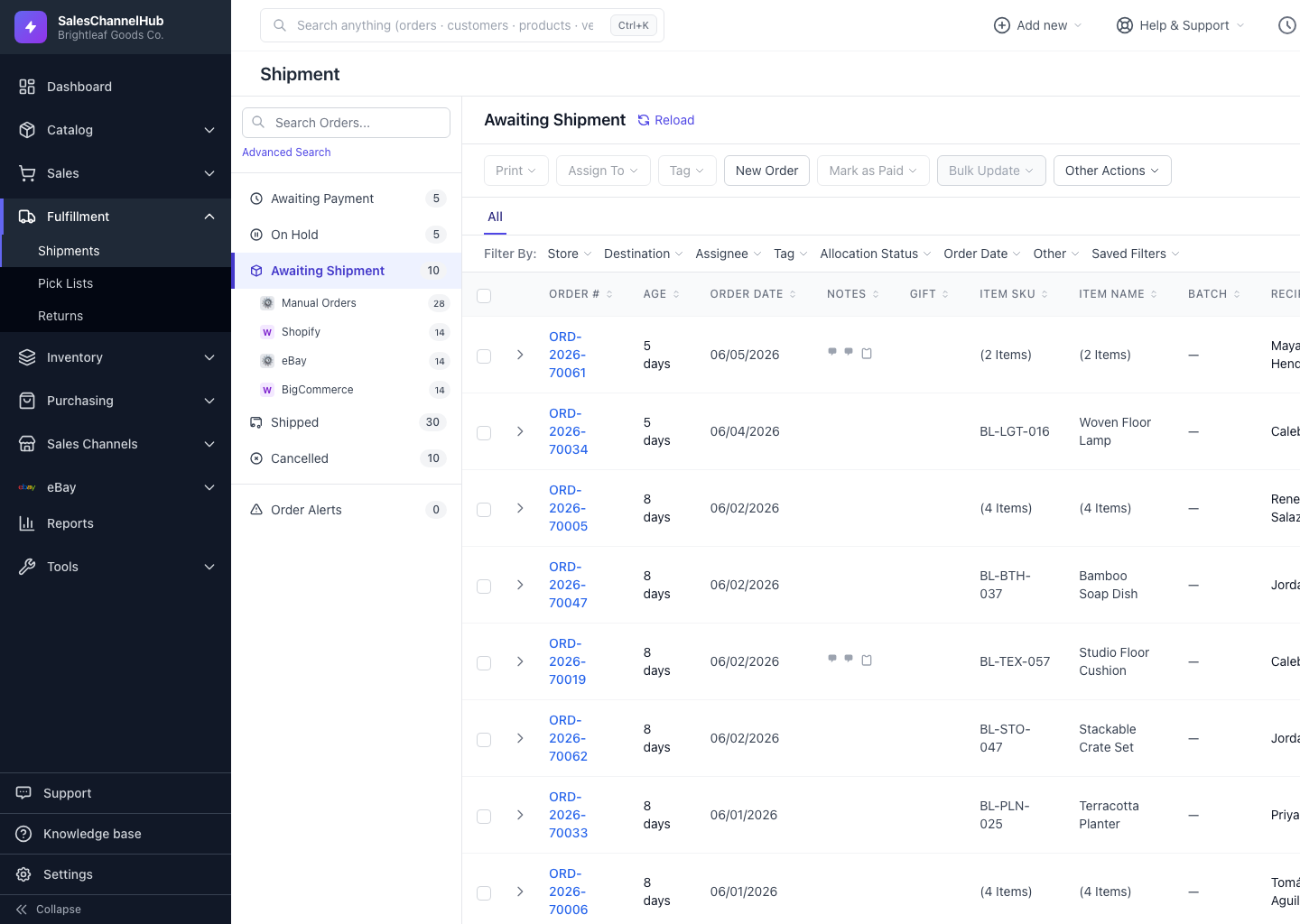
Create colored tags, apply them to selected orders from the Tag button, then filter the table by tag under Filter By: Tag.
Tags are colored labels you attach to orders to flag them, such as Fragile, Gift, VIP or Backorder. Filter the table to a tag and you can act on the whole group at once.
How do I tag orders?
- Tick one or more orders in the table, then click Tag in the toolbar to open Manage Tags.
- To make a new tag, type a name under Create a new tag, pick a color and click Add.
- Check the tags you want and click Apply.
How do I filter by tag?
Open Filter By: Tag and pick a tag. The table shows only those orders. The same menu has + Manage Tags… for quick edits.
Tip. Each tag shows a usage count, so it's easy to spot tags no one uses and tidy them up.
Was this article helpful?