Offer statuses explained
An offer's status shows where the negotiation stands: New, Countered, Approved, Rejected or Expired.
Each offer carries a status that tells you where the negotiation stands. The tiles on the inbox count them, and each offer's badge shows its current one.
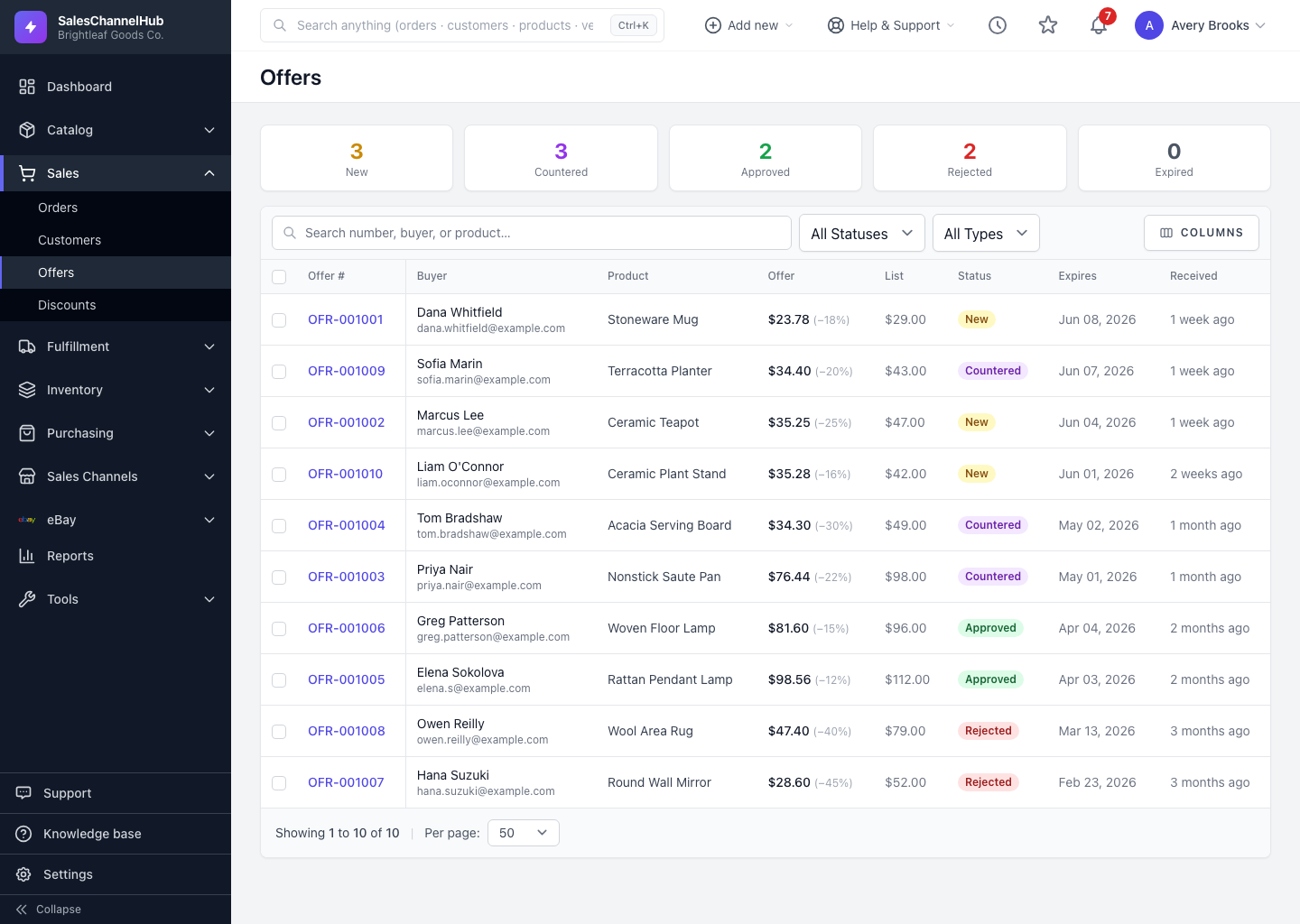
What does each offer status mean?
- New — just received and waiting on you. Still open to respond to.
- Countered — you proposed a different price and the buyer hasn't replied yet. Still open.
- Approved — you accepted; a single-use code was minted and emailed. Closed.
- Rejected — you declined. Closed.
- Expired — the offer passed its validity window with no agreement. Closed.
You can only counter, approve or reject an offer while it's New or Countered. Closed offers show "no further action".
Tip. An expired offer isn't a dead end. The buyer can submit a new one from your storefront, and you'll see it linked under Re-offers.
Was this article helpful?