Understand locations and warehouses
Locations are the places you hold stock, from whole warehouses down to bins. They nest in a hierarchy and carry sellable, receivable and pickable flags.
Locations are the places you hold stock, from a whole warehouse down to a single bin. They form a hierarchy and carry flags that control how each place is used.
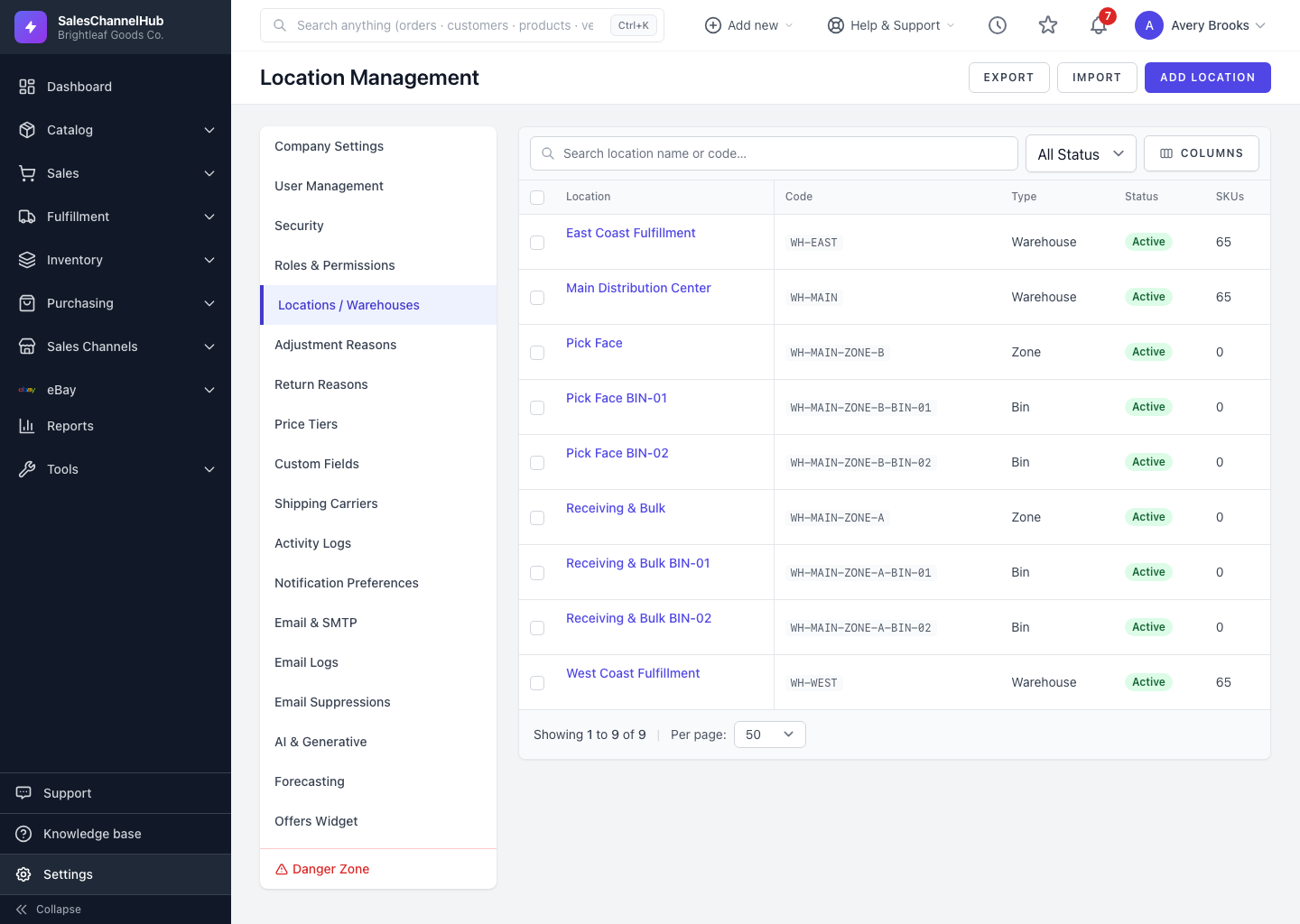
How does the location hierarchy work?
- Types nest from broad to specific: Warehouse → Zone → Aisle → Rack → Shelf → Bin.
- A child points at its Parent Location; top-level places have no parent.
- Sellable means stock here can be sold. Receivable means you can receive inventory into it. Pickable means it can be picked from when fulfilling orders.
- One warehouse can be the default, used when a process needs to pick a location for you.
- Only warehouses carry a Timezone, used for that site's local cut-off times.
Tip. Keep one clean top-level warehouse per physical site, then add zones and bins underneath as your picking gets more precise.
Was this article helpful?