Place or release a credit hold
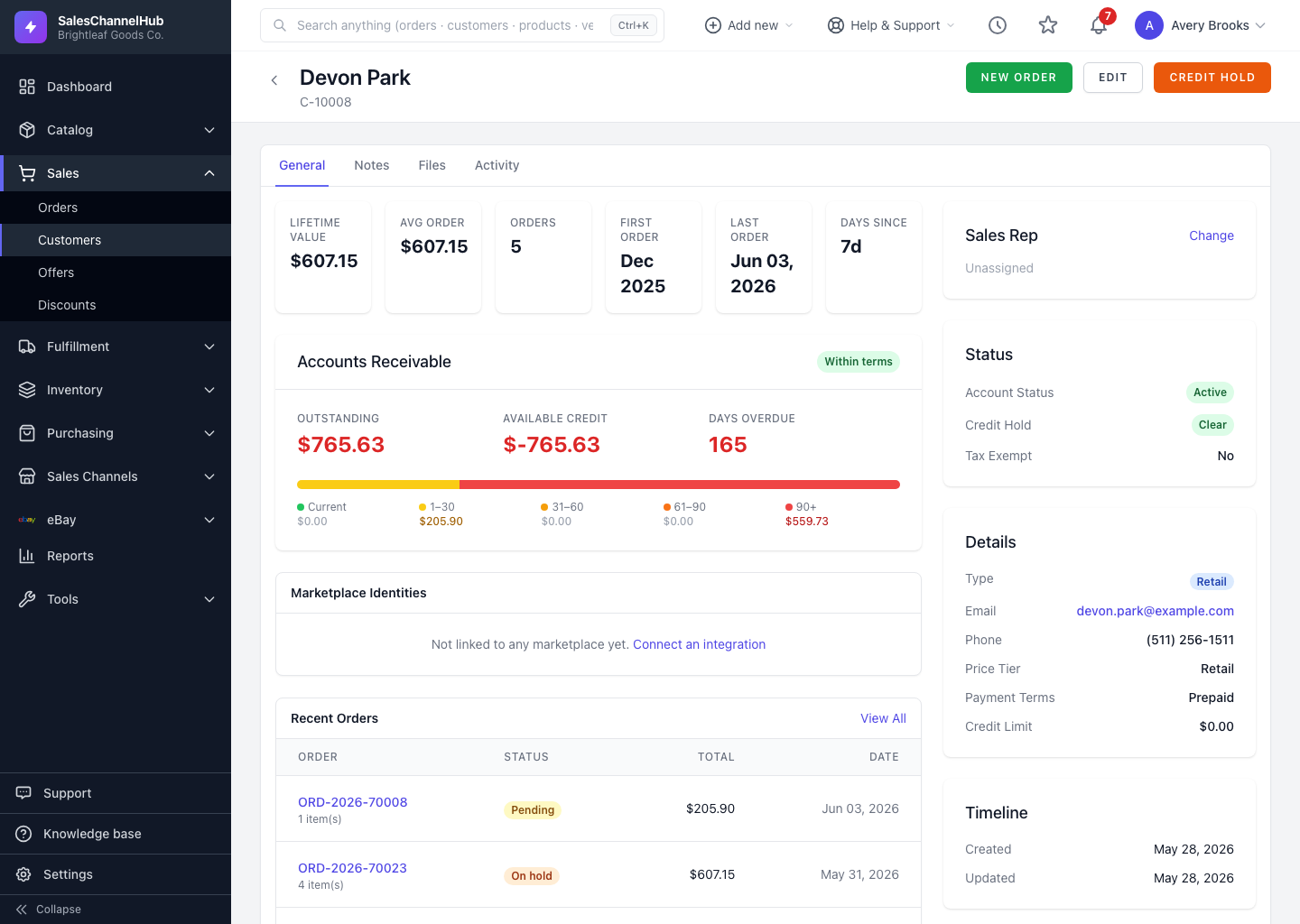
Open the customer and click Credit Hold to stop trading on terms; click Remove Hold to lift it. Set a credit limit while editing.
A credit hold flags an account so you can stop trading on terms — when they're over their limit or sitting on overdue invoices. Paired with a credit limit, it's how you manage risk on wholesale and distributor accounts.
How do I place or lift a hold?
- To set a ceiling, edit the customer and enter a Credit Limit under Billing & Credit. Leave it blank for no limit.
- To place a hold, open the customer and click Credit Hold in the header.
- To lift it, click Remove Hold on the same record.
- The Status sidebar and the Accounts Receivable badge both reflect the current state.
Can I hold several accounts at once?
Yes. Select rows on the customer list and use Credit Hold On or Credit Hold Off in the bulk-actions bar.
Tip. Placing and releasing holds needs the credit-management permission. If the button or the credit fields are hidden, ask an administrator to grant it on your role.
Was this article helpful?