Track your tickets
Open Support, click a status tile to filter, and search by ticket, subject or requester to keep tabs on every ticket.
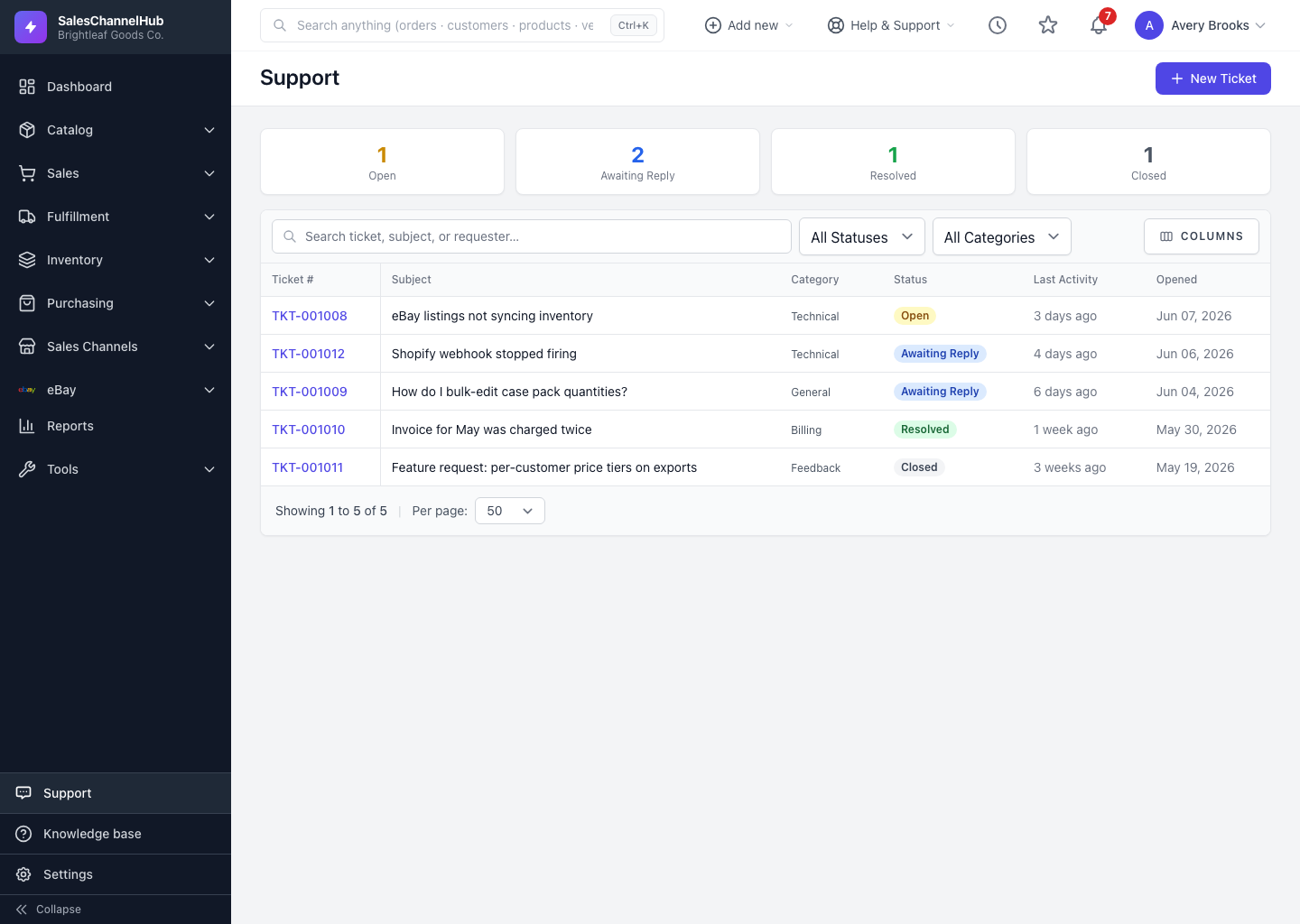
The Support list is your at-a-glance view of every ticket you've opened. Click a status tile across the top to jump straight to whatever needs attention.
How do I find a ticket?
- Open Support from the sidebar. The tiles show counts for Open, Awaiting Reply, Resolved and Closed.
- Click a tile to filter the table to just those tickets.
- Use the search box to find a ticket by number, subject or requester.
- Narrow further with the Status and Category filters.
- Click a ticket's number or subject to open the full thread.
What's in the table?
Each row shows the Ticket #, Subject, Category, a Status badge, Last Activity, and when it was Opened. The list sorts by most recent activity, so tickets with the newest replies float to the top.
Tip. Check the Awaiting Reply tile first. Those tickets are waiting on you, and a quick reply keeps things moving.
Common questions
Why don't I see another person's tickets?
You see your own tickets by default. Viewing everyone's needs the support.view_all permission, which an owner or admin grants under Settings → Roles & Permissions.
How is the list ordered?
By most recent activity. Whichever ticket got the newest message sits at the top, so the ones that just changed are easy to spot.