Turn on auto-draft purchase orders
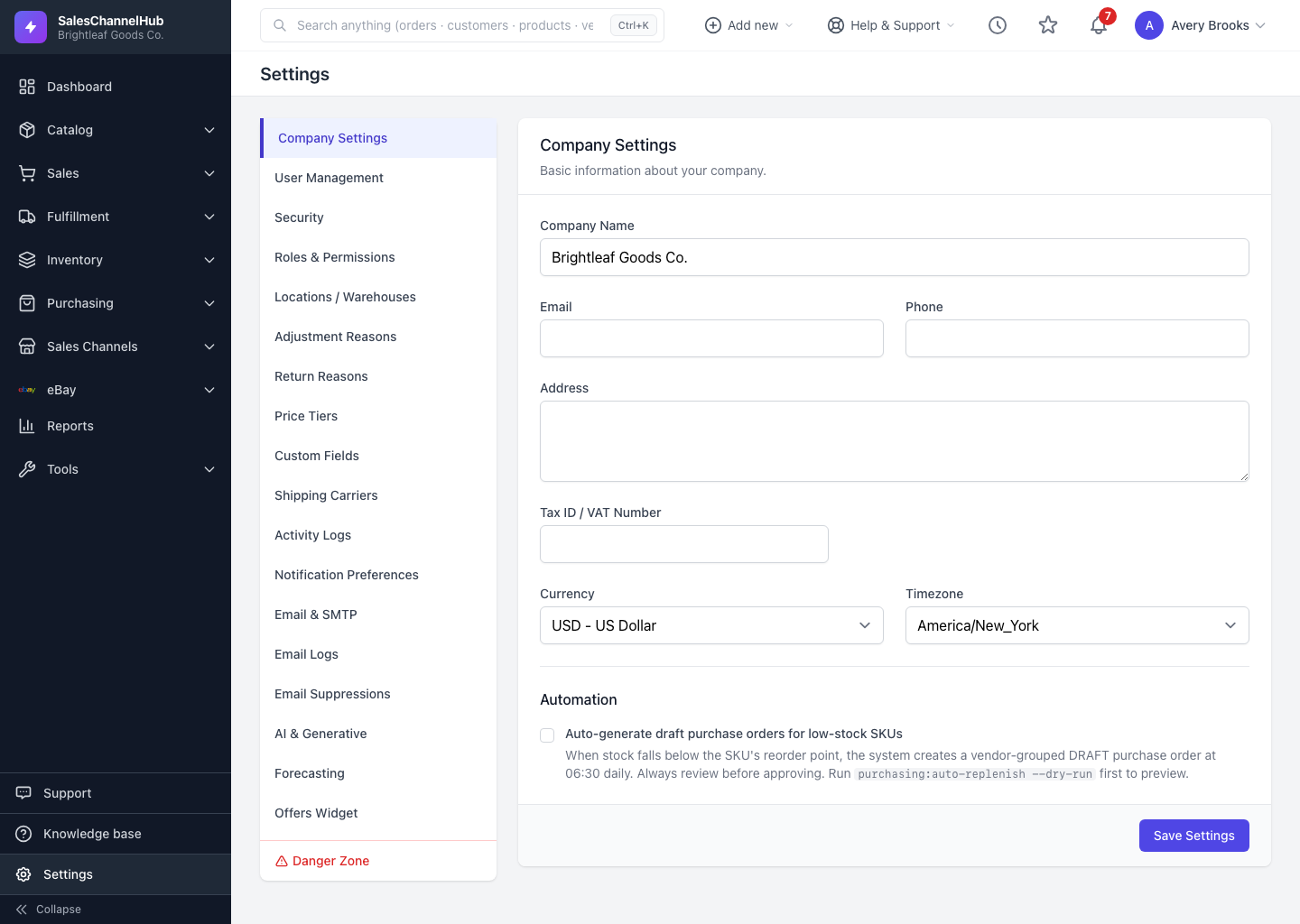
Tick the Automation toggle on Company Settings to draft vendor purchase orders each morning for SKUs below their reorder point.
The Automation section on Company Settings has a toggle that drafts purchase orders for you when stock runs low.
How do I enable auto-draft purchase orders?
- Open Settings → Company Settings.
- Scroll to Automation.
- Tick Auto-generate draft purchase orders for low-stock SKUs.
- Click Save Settings.
What happens once it's on?
When a SKU falls below its reorder point, the job creates a vendor-grouped draft purchase order at 06:30 each morning. Drafts are never sent automatically; you review and approve them first.
Tip. Reorder points live on each SKU. Set those before relying on auto-drafts, or the job has nothing to act on. Run
purchasing:auto-replenish --dry-runto preview what it would draft.
Common questions
Will auto-draft send orders to my vendors without asking?
No. It only creates draft purchase orders, grouped by vendor. You always review and approve a draft before it's sent.
Nothing drafted overnight. Why?
No SKU was below its reorder point, or reorder points aren't set. Set a reorder point on each SKU you want covered, then run purchasing:auto-replenish --dry-run to see what the next run would produce.