How purchasing works
Purchasing manages the suppliers you buy from and the orders you place. When goods arrive, your stock-on-hand goes up automatically.
Purchasing manages the suppliers you buy from and the orders you place with them. It connects to your inventory, so when goods arrive your stock-on-hand goes up automatically. Everything lives under the Purchasing group in the sidebar.
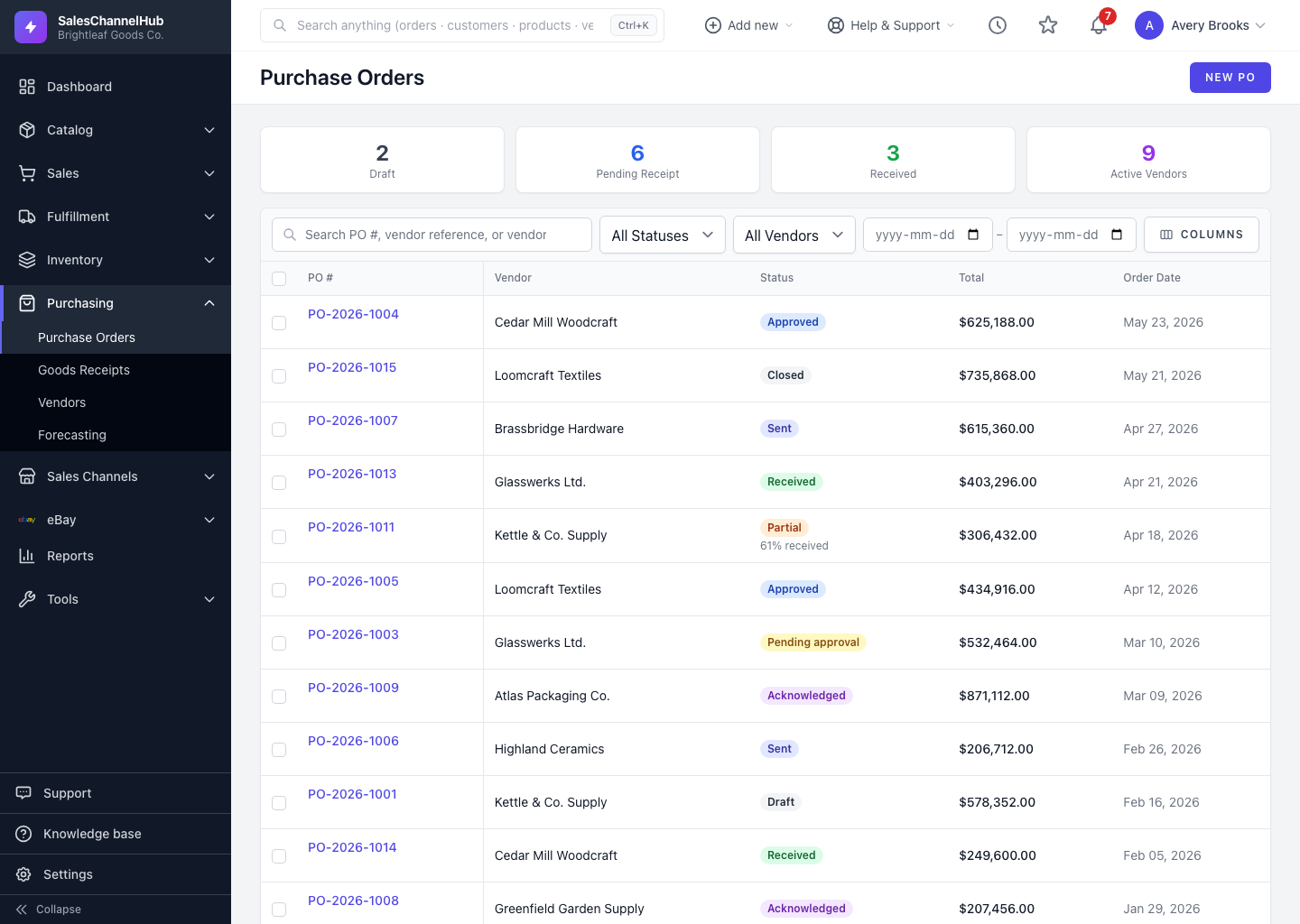
What are the three parts?
- Vendors are the suppliers you buy from. Each one holds contact details, payment terms, lead time and a minimum order value.
- Purchase orders (POs) are the orders you raise against a vendor. A PO moves through a status workflow from draft to fully received.
- Goods receipts record what physically arrives. Receiving against a PO posts the stock into inventory.
What's the usual flow?
- Add the vendor once.
- Create a PO, add line items, then approve and send it.
- When the shipment lands, receive the goods, run any QC checks, and complete the receipt.
Tip. The four cards at the top of the Purchase Orders list double as filters. Click Draft, Pending Receipt or Received to jump straight to those POs, or Active Vendors to cross to your supplier list.
Was this article helpful?