Inventory valuation and value snapshots
Inventory value is On Hand times weighted-average cost, summed across locations. Export a filtered CSV to capture a point-in-time snapshot.
Inventory value tells you what your stock is worth at cost. It's On Hand multiplied by a weighted-average unit cost, so it stays consistent as goods come and go.
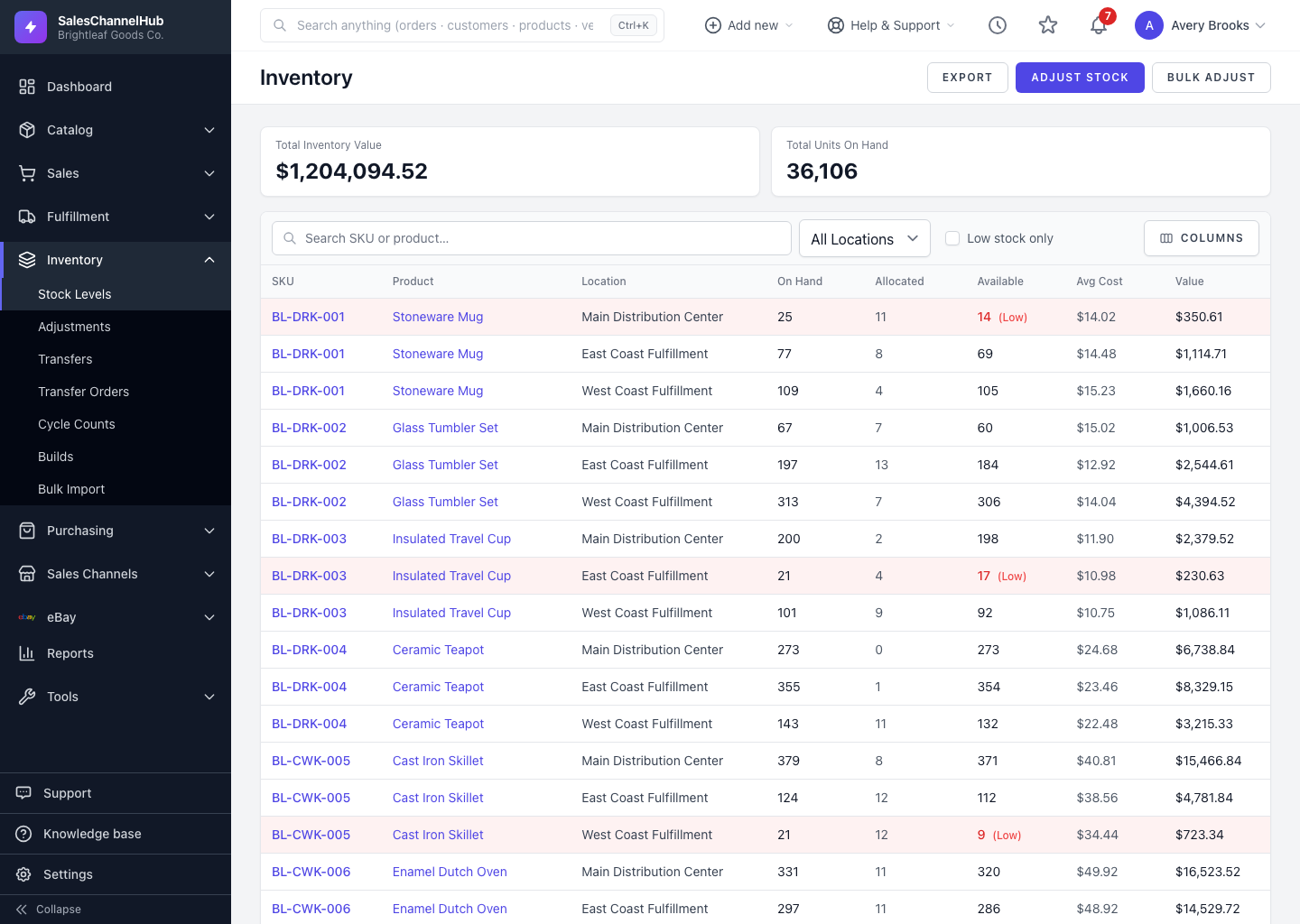
How is value worked out?
- Each row's Value is On Hand multiplied by its Avg Cost.
- Avg Cost is a weighted average that updates automatically as movements are recorded. You don't set it by hand.
- The Total Inventory Value card sums every location's value.
How do I capture a snapshot?
- Apply the filters you want, for example one location or a product range.
- Click Export to download a CSV with per-SKU value and cost.
- Save it with the date. That's your point-in-time valuation record.
Tip. Because average cost is recalculated from movements, the cleanest valuation comes after your counts are reconciled. Run a cycle count first, then export.
Common questions
Can I type in a SKU's average cost?
No. Average Cost is a weighted average recalculated from your recorded movements, and it isn't settable on the form or from a CSV.
Why did average cost change after a receipt?
New stock received at a different unit cost reweights the average. The figure shifts toward the cost of the most recent movements.
Was this article helpful?