Apply a single suggestion
Click Apply on a suggestion row to write its reorder point and quantity onto that SKU's stock level at that location.
Applying a suggestion copies its reorder point and reorder quantity onto that SKU's stock level at that location. From then on, low-stock alerts and auto-replenishment use the new numbers.
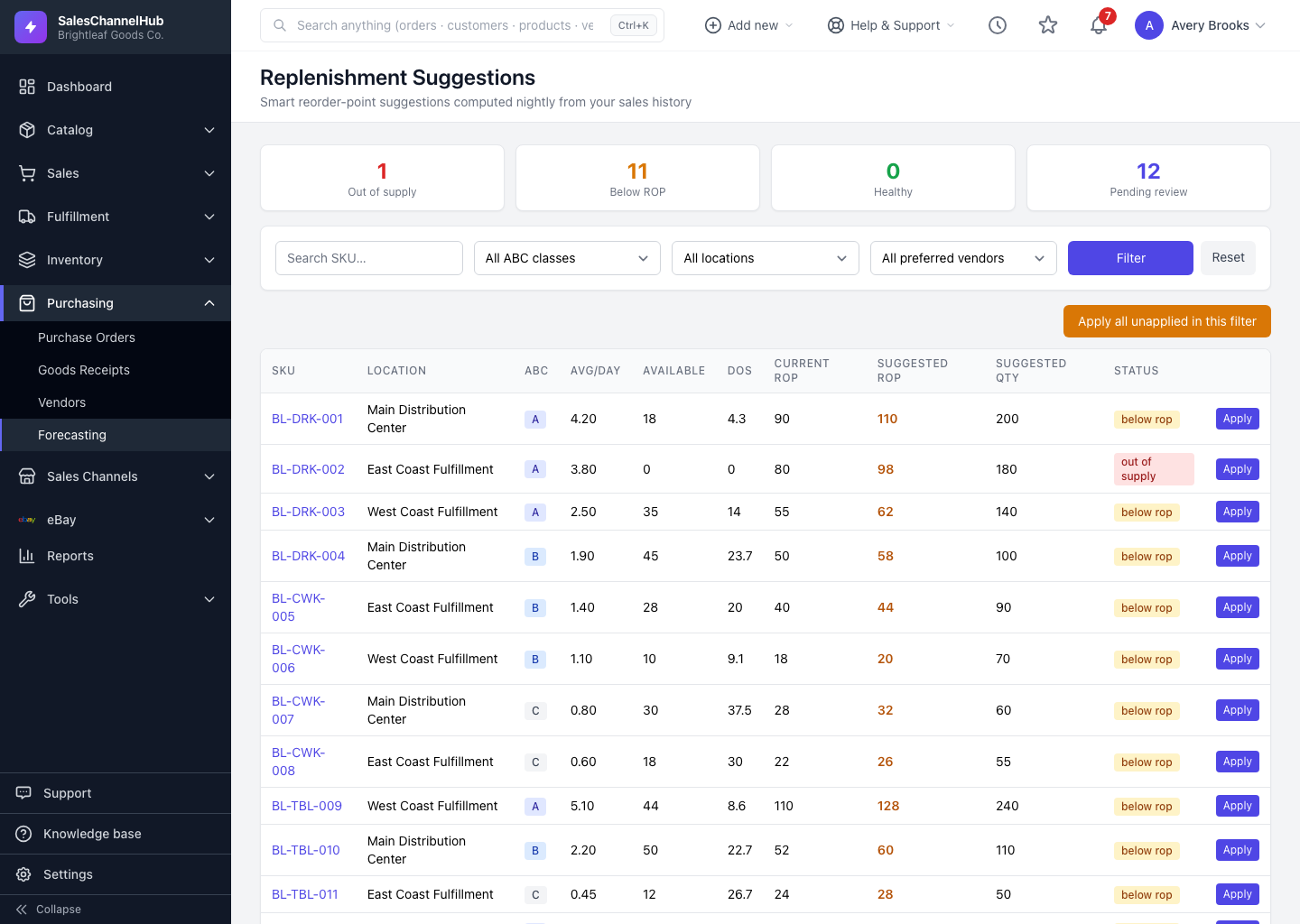
How do I apply one suggestion?
- Open Purchasing → Replenishment Suggestions.
- Find the SKU. Use the search box, or click the Below ROP and Out of supply tiles to surface the urgent ones.
- Check the Suggested ROP and Suggested Qty against your judgement.
- Click Apply on that row.
- A green confirmation appears and the row's Applied time updates.
What does applying actually change?
- It updates the reorder settings only. Your on-hand count doesn't move and no order is placed.
- It's safe to re-run: a suggestion already applied won't double-apply.
- You need the forecasting apply permission to see the button.
Tip. The next nightly run recomputes suggestions from fresh sales, but your applied values stick. An applied suggestion isn't overwritten by the recompute.
Common questions
Does applying a suggestion place an order?
No. It only writes the reorder point and quantity to the stock level. Ordering happens through auto-replenishment, or by raising a purchase order yourself.
I can't see the Apply button. Why?
You need the forecasting apply permission. Ask an owner or administrator to grant it under Settings → Roles & Permissions.
Will tonight's refresh undo what I applied?
No. The nightly run recomputes the suggested numbers but preserves anything you've already applied.