Pick lists overview
A pick list is a worksheet that tells a worker which items to pull, how many, and from which bin, built from unshipped orders.
A pick list is a worksheet that tells a warehouse worker which items to pull, how many, and from which bin, so confirmed orders can be packed and shipped. You build one from orders that still have unshipped items, and it lives under Fulfillment → Pick Lists.
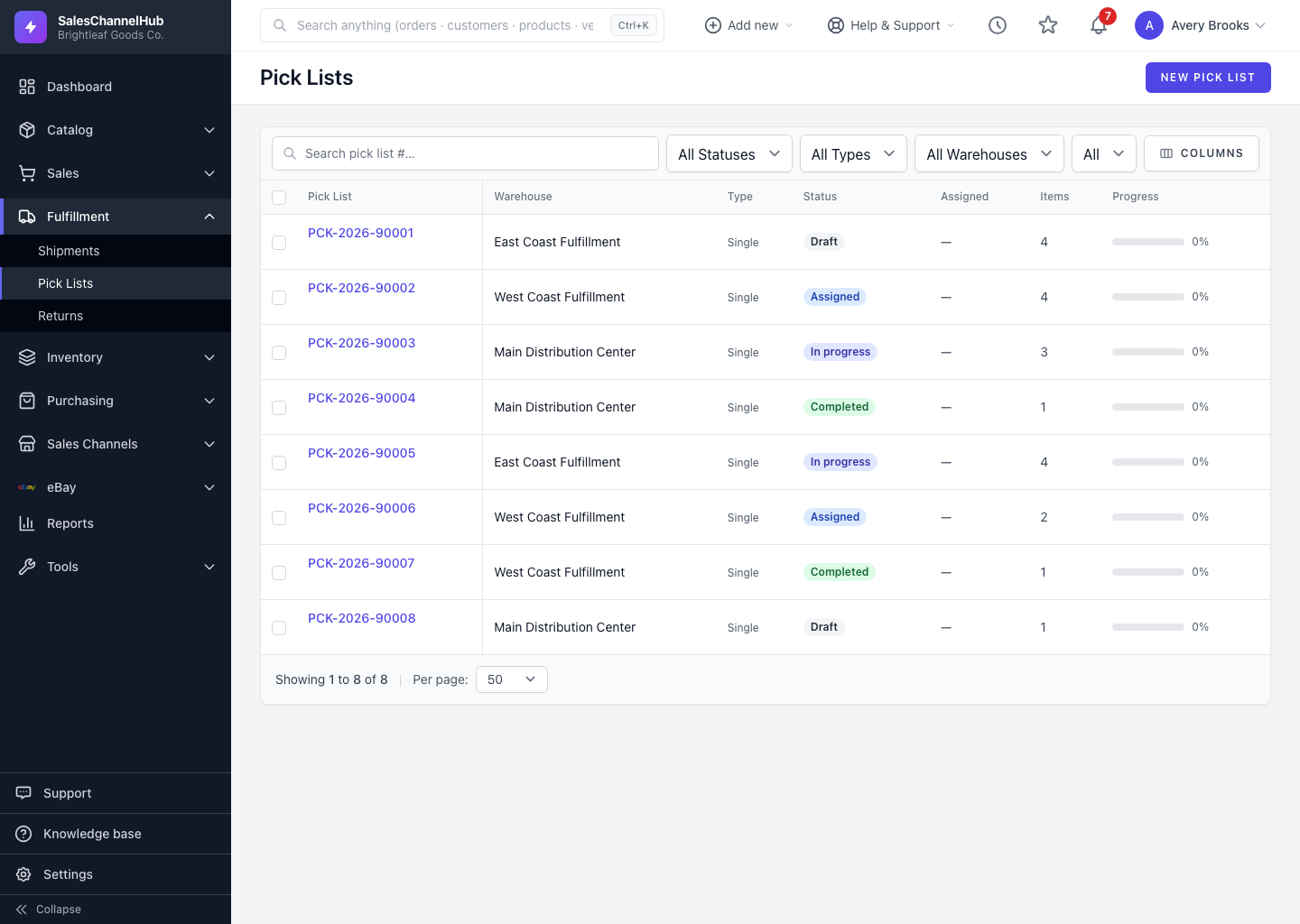
What statuses does a pick list move through?
- Draft — created but not yet handed to a picker.
- Assigned — a worker has it.
- In Progress — picking has started, so you can record picks line by line.
- Completed — the pick is finished.
- Cancelled — abandoned before completion.
What are the pick types?
The type is how you group the work for your floor: Single Order, Batch, Wave or Zone. Single Order is the default.
Tip. The progress bar on the detail page shows how many lines are picked, so a supervisor can see how far along a list is at a glance.
Was this article helpful?