Understand ABC classification
SKUs are graded A, B or C by the revenue they bring at a location, so your safety stock follows your most valuable products.
ABC classification puts your attention where the money is. Each SKU is graded by how much revenue it contributes at a location over the lookback window, so your forecasting effort and safety stock follow your most valuable products.
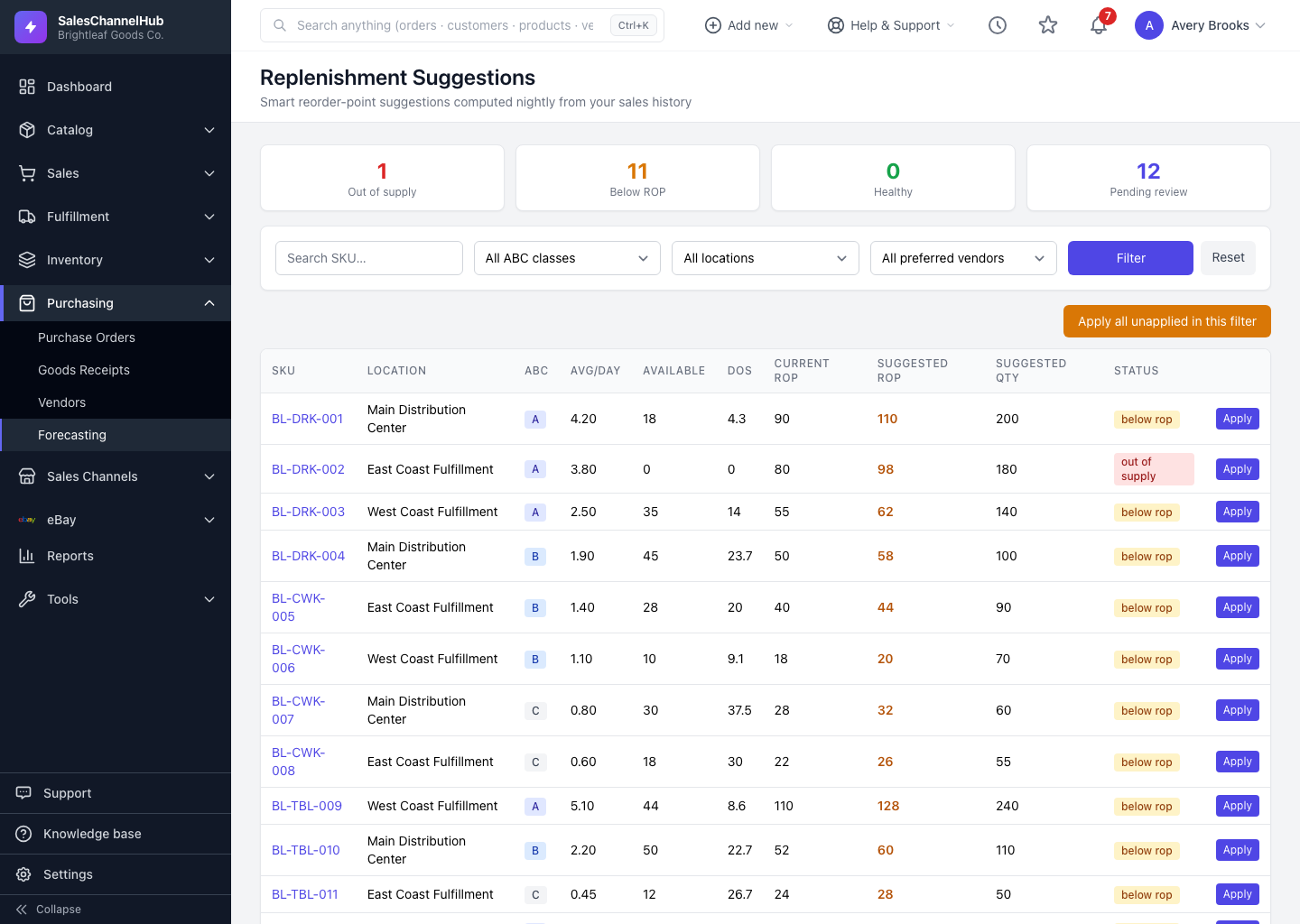
What does each class mean?
- A, top 80% of revenue. The handful of products that drive most of your sales. Stockouts here hurt the most, so they carry the largest safety buffer.
- B, the next 15%. Worth managing carefully, but a short gap isn't a crisis. They get a moderate buffer.
- C, the long tail. Everything else, including SKUs with little or no recent revenue. A small buffer is fine.
How is the class worked out?
- Revenue is summed per SKU at each location, then SKUs are ranked highest to lowest.
- Each SKU's class depends on the cumulative revenue sitting above it: top sellers fill the A band, the next slice is B, the rest is C.
- A SKU with no sales in the window defaults to C.
Tip. Class drives how many safety days (or what service level) a SKU gets. Set generous buffers for A items under Settings → Forecasting and keep C items lean to free up cash.
Was this article helpful?