Preview how many records a rule matches
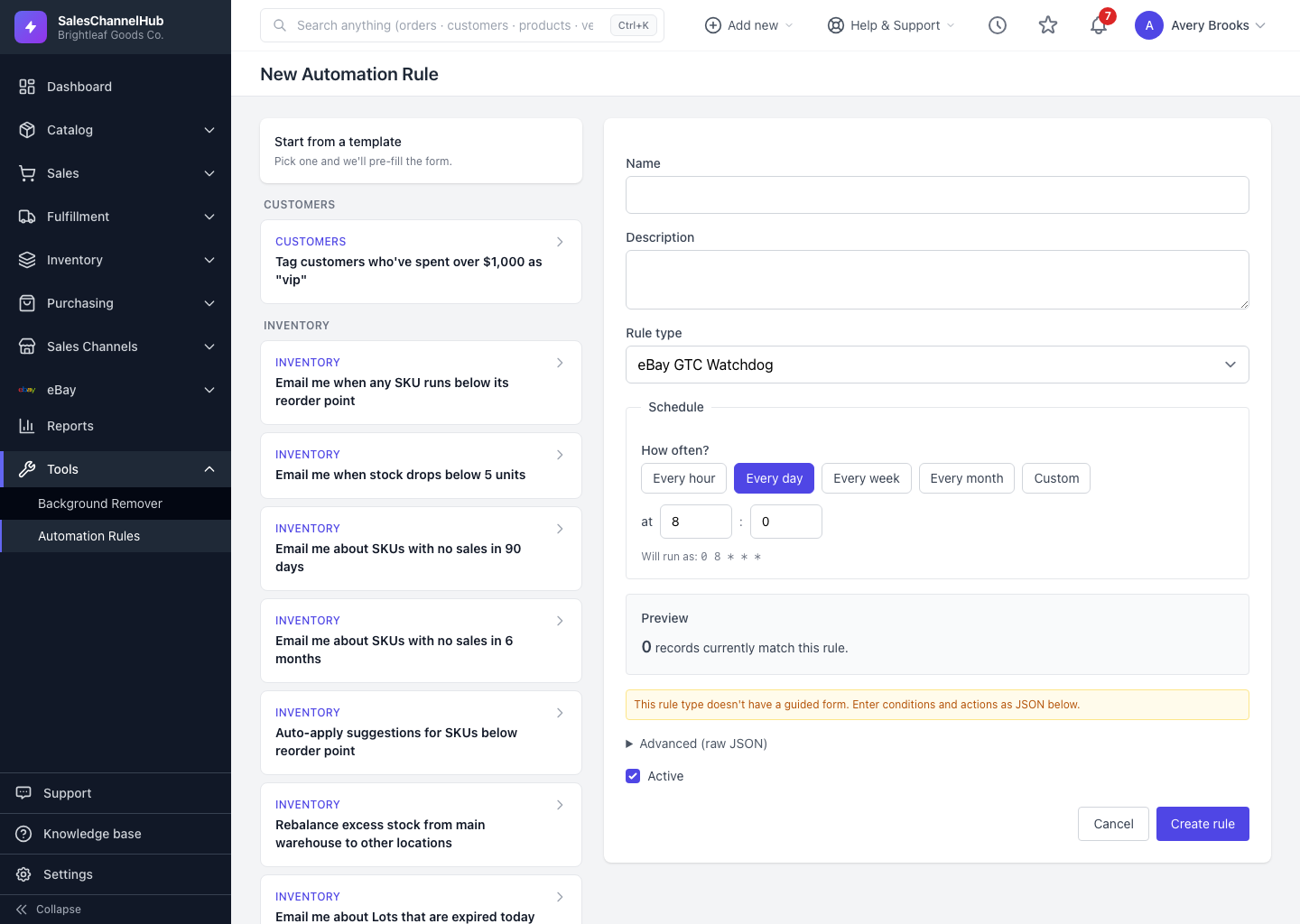
The Preview panel on the create form counts how many records your conditions match right now, before you save.
Before you save a rule, the create form shows a live Preview of how many records currently match your conditions. It's the safest way to confirm a rule is targeting the right scope, especially for action rules that change data.
How do I use the preview?
- On the create form, pick your Rule type and fill in your Conditions.
- Look at the Preview panel. It updates on its own shortly after you stop typing and reads something like "47 records currently match this rule".
- Click Show sample to list up to ten of the actual matching records, so you can sanity-check that the right items are caught.
- If the count looks too high or too low, adjust your conditions and watch the number change.
Does previewing change anything?
No. Preview only counts; it never acts on a record. For digest-style rules a count isn't meaningful, so the panel reads "Digest will run with today's data" instead.
Tip. Use the sample list to catch surprises early. If a record you didn't expect shows up, tighten a condition before you save rather than after the rule has already run.
Common questions
Why does the preview show zero records?
Your conditions match nothing right now. Loosen them and the count updates. Remember conditions combine with AND, so each one you add can only reduce the matches.
Why doesn't the preview show a number for my rule?
Digest rules return one synthetic record, so a count would mislead. The panel reads "Digest will run with today's data" for those instead.
Is the preview the same as running the rule?
No. Preview counts and lists matches without acting. A run does whatever the rule type is built to do. To act on the matches, save the rule and let it run, or use Run now.